

If your business still relies on a traditional phone system with copper lines and bulky desk phones, you are likely paying too much for too little. VoIP for small business has become the standard for modern communications, and for good reason. It costs less, scales easier, and gives your team the flexibility to work from anywhere with an internet connection.
This guide breaks down everything a small business owner needs to know about business VoIP phone systems: how they work, what they cost, which features matter most, and how to make the switch without disrupting your operations.
Key Takeaways
- VoIP replaces traditional phone lines with internet-based calling, cutting monthly communication costs by 40-60% for most small businesses while adding advanced features.
- Modern business VoIP phone systems include far more than voice calls. Video conferencing, team messaging, mobile apps, and call analytics come standard with most solutions.
- The right setup depends on your business size and needs. A 15-person construction firm has different VoIP requirements than a 50-person accounting office, and the system should reflect that.
- A managed VoIP provider handles the complexity for you. Instead of troubleshooting configuration issues yourself, a managed IT partner ensures your phone system stays reliable and secure.
What Is VoIP and How Does It Work?
VoIP stands for Voice over Internet Protocol. Instead of routing calls through traditional copper telephone lines, VoIP converts your voice into digital data packets and transmits them over the internet. The result is the same clear phone conversation, delivered through a fundamentally more efficient system.
Here is the basic process:
- You speak into a VoIP-enabled device (desk phone, computer, or smartphone app).
- Your voice is converted into digital data using a codec (compression algorithm).
- The data travels over your internet connection to the recipient.
- The recipient’s device converts the data back into audio, and they hear your voice.
Because VoIP runs on your existing internet connection rather than a separate telephone network, you eliminate the need for dedicated phone lines. For businesses in Georgetown, Round Rock, and the greater Austin area, this means one less utility bill and one less vendor to manage.
The technology has matured significantly since its early days. Modern VoIP systems deliver call quality that matches or exceeds traditional landlines, with 99.99% uptime guarantees from most business-grade providers. Dropped calls and choppy audio, once common complaints, are now rare on properly configured networks.
VoIP vs. Traditional Phone Systems: What Changes?
Understanding the practical differences helps you evaluate whether VoIP is the right move for your business.
Cost Structure
Traditional phone systems (also called PBX or landline systems) require:
- Per-line monthly fees from the phone company ($30-50 per line)
- Long-distance and international call charges
- Expensive hardware (PBX boxes, wiring, desk phones)
- Dedicated maintenance contracts
VoIP phone systems consolidate these costs:
- A single per-user monthly subscription ($15-35 per user)
- Unlimited domestic calling included
- Minimal hardware (IP phones or softphone apps)
- Updates and maintenance handled through software
For a 25-person office, the difference can easily reach $500-1,000 per month in savings, which adds up to $6,000-12,000 annually.
Features
Traditional systems offer basic call handling: hold, transfer, voicemail. Business VoIP phone systems include all of that plus:
- Auto-attendants that greet callers and route them to the right department without a receptionist
- Ring groups that send incoming calls to multiple team members simultaneously
- Call analytics showing volume trends, peak hours, and missed call rates
- Voicemail-to-email transcription so you can read messages instead of listening to them
- Mobile and desktop apps that let employees make and receive business calls from personal devices
- Video conferencing built into the same platform
- Integration with CRM and helpdesk tools for automatic call logging
Reliability
This is where many business owners hesitate. “What happens if the internet goes down?” is a valid concern.
Modern cloud-based VoIP systems address this with built-in redundancy. Calls can automatically fail over to mobile devices, route to another office location, or forward to a backup number. With a properly configured network and a reliable internet connection, VoIP uptime consistently meets or exceeds what traditional phone companies deliver.
Essential VoIP Features for Small Businesses

Not every VoIP feature matters equally for a 10-75 employee business. These are the ones that deliver the most practical value:
Auto-Attendants and Call Routing
An auto-attendant is essentially a virtual receptionist. Callers hear a professional greeting and a menu (“Press 1 for Sales, Press 2 for Support”) and get routed to the correct person or department. For small businesses without a dedicated front desk, this feature alone justifies the switch.
Ring Groups and Call Queues
Ring groups ensure that incoming calls reach a live person. You can configure calls to ring all sales team phones simultaneously, or cycle through a specific order until someone picks up. Call queues hold callers in line with music or messages when the team is busy, preventing dropped calls during peak hours.
Mobile Integration
This is a game-changer for businesses with employees in the field. Construction managers on job sites, real estate agents showing properties, and consultants visiting clients can all make and receive calls on their business number from a smartphone app. The caller sees the company number, not a personal cell phone.
Unified Communications
Unified communications (UC) combines voice calls, video meetings, team messaging, and file sharing into a single platform. Instead of juggling separate services for phone, video calls, and instant messaging, your team uses one system. This simplifies training, reduces software costs, and makes collaboration faster.
Call Analytics and Reporting
VoIP systems track every call automatically. You can see how many calls your team handles daily, average call duration, missed call rates, and busiest times of day. This data helps you make informed decisions about staffing, customer service processes, and even marketing campaigns.
What Does a Business VoIP Phone System Cost?
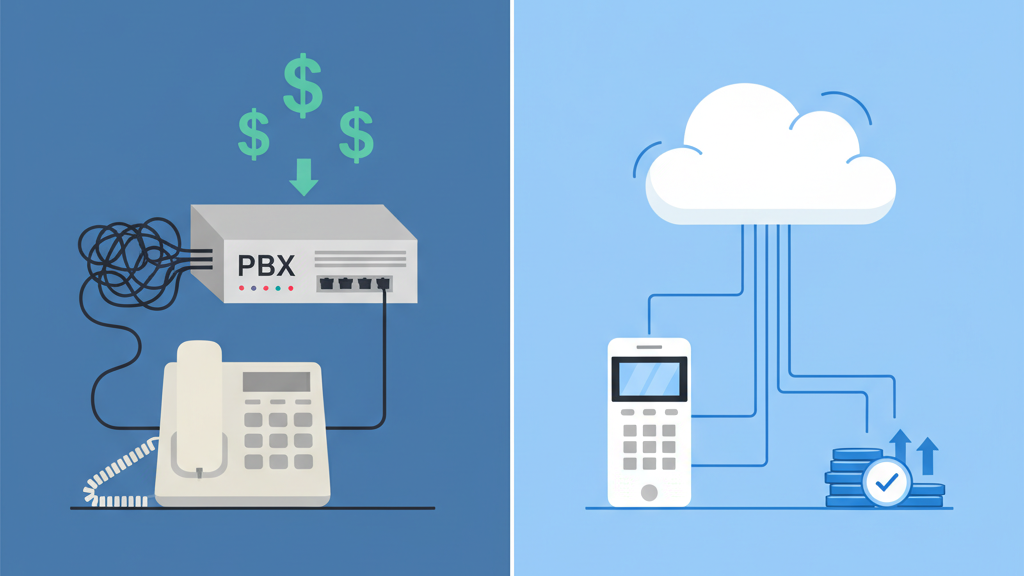
One of the most common questions from business owners evaluating VoIP is about pricing. While specific costs vary based on features and number of users, here is a general framework:
Typical Cost Components
| Component | Traditional PBX | VoIP System |
|---|---|---|
| Monthly per-user cost | $30-50/line | $15-35/user |
| Hardware (upfront) | $3,000-10,000+ | $0-2,000 |
| Installation | $1,000-5,000 | Often included |
| Maintenance | $500-2,000/year | Included in subscription |
| Long-distance calls | Per-minute charges | Typically unlimited |
Total Cost Example
For a 20-person business:
- Traditional PBX: $800-1,000/month in line fees + hardware depreciation + maintenance = approximately $12,000-15,000/year
- VoIP system: $300-700/month all-inclusive = approximately $3,600-8,400/year
The savings are significant, especially when you factor in the advanced features that would cost extra on a traditional system.
The exact cost for your business depends on the features you need, the number of users, and whether you want a fully managed solution. Computek provides customized VoIP packages tailored to your specific business requirements.
How to Choose the Right VoIP Solution
Assess Your Current Needs
Before evaluating providers, answer these questions:
- How many employees need phone access? This determines your user count and licensing costs.
- Do employees work remotely or in the field? Mobile app support becomes essential.
- What is your current internet bandwidth? Each concurrent VoIP call requires roughly 100 Kbps. A 20-person office with 10 simultaneous calls needs at least 1 Mbps dedicated to voice traffic.
- Do you need to keep existing phone numbers? Most VoIP providers support number porting, but confirm this upfront.
- What integrations matter? If your team lives in a CRM or helpdesk tool, call integration saves time.
DIY VoIP vs. Managed VoIP Service
This is the most important decision for small businesses, and it is where many get it wrong.
DIY VoIP (self-managed): You sign up with a VoIP provider, configure the system yourself, and handle your own troubleshooting. This works if you have technical staff who can manage network configuration, QoS settings, and ongoing updates. Most small businesses do not.
Managed VoIP service: A local IT provider like Computek handles the entire process. We assess your needs, design the system, configure it, port your numbers, train your team, and provide ongoing support. When something goes wrong at 8 AM on a Monday, you call a local number and talk to a real person who knows your setup.
For businesses in Georgetown, Round Rock, and the greater Austin area, having a local partner who can arrive on-site within hours rather than troubleshoot through a call center makes a meaningful difference in uptime and productivity.
Network Readiness
VoIP quality depends directly on your network quality. Before deploying VoIP, a proper assessment should evaluate:
- Bandwidth: Sufficient upload and download speeds for your call volume
- Latency: Under 150ms for clear call quality
- Jitter: Consistent packet delivery without fluctuation
- Quality of Service (QoS): Router configuration that prioritizes voice traffic over other data
A managed IT provider can run a network readiness assessment and make the necessary adjustments before your VoIP system goes live, preventing quality issues from day one.
VoIP Security: Protecting Your Business Communications
Business phone calls often contain sensitive information: client details, financial discussions, contract negotiations. VoIP systems need the same security attention as the rest of your IT infrastructure.
Common VoIP Security Risks
- Call interception: Unencrypted VoIP calls can potentially be intercepted on unsecured networks.
- Toll fraud: Hackers can hijack your VoIP system to make expensive international calls on your account.
- Denial of service attacks: Flooding your network to disrupt phone service.
- Phishing through voicemail: Social engineering attacks targeting your voicemail system.
How to Secure Your VoIP System
- Use encrypted protocols (SRTP and TLS) for all voice traffic.
- Implement strong passwords on all VoIP endpoints and admin panels.
- Keep firmware updated on VoIP phones and network equipment.
- Segment your network so voice traffic runs on a separate VLAN from general data.
- Monitor for anomalies like unusual call patterns or off-hours activity.
Integrating VoIP security with your broader cybersecurity strategy ensures your communications remain protected alongside your data, email, and network.
VoIP for Specific Industries in Central Texas
Different industries have different communication requirements. Here is how VoIP addresses specific needs for businesses Computek serves across Georgetown, Round Rock, and Austin:
Construction and Engineering
Field crews need to stay connected with the office. VoIP mobile apps let project managers take business calls on the job site using their company number. Ring groups ensure that urgent calls from clients or suppliers reach someone immediately, even when the office team is split between locations.
Commercial Real Estate and Property Management
Agents showing properties cannot miss calls from prospects. Auto-attendants route calls professionally while call forwarding ensures agents stay reachable on their mobile devices. Call analytics help brokerages track lead response times and agent performance.
Manufacturing
Production floors are noisy and fast-paced. VoIP systems with overhead paging integration, intercom features, and dedicated extension groups keep operations managers connected without leaving the floor. Integration with scheduling and ERP systems adds another layer of efficiency.
Professional Services (Legal, Accounting, Financial)
Client confidentiality is paramount. Encrypted VoIP calls, secure voicemail systems, and compliance-ready call recording features give professional services firms the security they need. During tax season or case preparation, the ability to scale up phone lines temporarily without hardware changes is a major advantage.
Making the Switch: What to Expect
Transitioning from a traditional phone system to VoIP does not have to be disruptive. With proper planning, most businesses complete the migration in one to two weeks, with zero downtime on their phone service.
Typical Migration Timeline
- Assessment (Days 1-3): Evaluate current phone usage, internet bandwidth, and feature requirements.
- Design (Days 3-5): Configure the system, set up auto-attendants, ring groups, and user accounts.
- Number Porting (Days 5-10): Transfer your existing phone numbers to the new system. This happens in the background while your old system remains active.
- Deployment (Day 10-12): Install IP phones (if applicable), configure mobile apps, and test all features.
- Training (Day 12-14): Brief training for your team on using the new system and its features.
- Go Live: Cut over from the old system to VoIP. Calls route through the new system immediately.
Throughout this process, a managed IT partner coordinates every step, handles the technical details, and ensures your team is comfortable with the new system before going live.
Frequently Asked Questions
Is VoIP reliable enough for a business?
Yes. Modern business VoIP phone systems deliver 99.99% uptime when properly configured. Cloud-based systems include built-in failover so calls automatically redirect to mobile devices or backup numbers if your primary internet connection has issues. For most businesses, VoIP is more reliable than traditional phone lines because it is not dependent on a single physical connection.
Can I keep my current business phone number?
In nearly all cases, yes. Number porting allows you to transfer existing phone numbers to a new VoIP system. The process typically takes 5-10 business days and happens in the background, so there is no gap in service.
How much bandwidth does VoIP require?
Each concurrent VoIP call uses approximately 80-100 Kbps of bandwidth. A business with 10 employees making simultaneous calls needs about 1 Mbps dedicated to voice. Most modern business internet plans provide more than enough capacity. A network assessment before deployment ensures your connection can handle the load without affecting other operations.
Will VoIP work during a power outage?
VoIP phones lose power during an outage just like any other electronic device. However, mobile apps continue working on cellular data, and cloud-based VoIP systems can automatically forward calls to mobile phones. Adding an uninterruptible power supply (UPS) to your network equipment keeps VoIP running for 30-60 minutes during short outages.
Is VoIP secure for business use?
VoIP is secure when implemented correctly. Business-grade systems use encryption (SRTP and TLS) to protect calls, strong authentication to prevent unauthorized access, and network segmentation to isolate voice traffic. Paired with a comprehensive cybersecurity strategy, VoIP is as secure as any other business communication system.
Take the Next Step Toward Modern Business Communications
Upgrading to a VoIP phone system is one of the most straightforward ways to reduce costs, improve flexibility, and give your team better communication tools. For small businesses in Georgetown, Round Rock, and the greater Austin area, having a local technology partner who can design, deploy, and manage your system makes the transition seamless.
Computek has helped Central Texas businesses modernize their communications for over 25 years. Whether you need a complete VoIP phone system or want to evaluate how VoIP fits into your broader IT strategy, we are here to help.