

Choosing the wrong IT support model can raise costs while leaving critical systems exposed. For leaders comparing MSP vs in-house IT, the right answer depends on the coverage, skills, risk controls, and accountability the business needs.
Schedule a 15-minute call with Computek to compare IT support models for your Georgetown-area business.
MSP vs in-house IT comes down to control, cost structure, and the depth of skills your business needs. An in-house team gives you direct oversight and strong knowledge of your company, but hiring, training, tools, and coverage remain your responsibility. A managed service provider gives you access to a broader team, proactive monitoring, and a more predictable service model. Many growing businesses also use co-managed IT, which pairs internal staff with an outside provider for added skills and coverage.
The best choice depends on your current team, risk level, growth plans, and need for after-hours support. Start by comparing the core differences between each model.
MSP vs in-house IT: The core differences
An in-house IT team consists of employees who work only for your company. They learn your systems, staff, and goals in depth. An MSP is an outside firm that delivers ongoing IT support through a service agreement and a shared team of specialists.
| Decision factor | MSP | In-house IT |
|---|---|---|
| Cost model | Planned service fee | Salaries, benefits, tools, and hiring |
| Skills | Broad team across many IT fields | Depth based on the people hired |
| Control | Managed through scope and service levels | Direct day-to-day oversight |
| Coverage | Team-based coverage | Limited by staff size and schedules |
| Company knowledge | Built through onboarding and ongoing work | Often strong from daily presence |
Ownership and accountability
With internal IT, your business owns hiring, performance, training, and technology planning. With an MSP, the contract should clearly define who handles each task, how fast the provider responds, and how results are reviewed.
The decision is not always either-or
A business can keep an internal leader or IT staff while using an MSP for monitoring, security, projects, or help desk support. This co-managed model can preserve internal knowledge while filling skill and coverage gaps.
How do the costs compare?
An MSP usually converts IT support into a planned service expense, while an in-house team requires salaries, benefits, recruiting, training, tools, and coverage planning. Compare the complete annual cost of both models rather than a single monthly fee or salary.
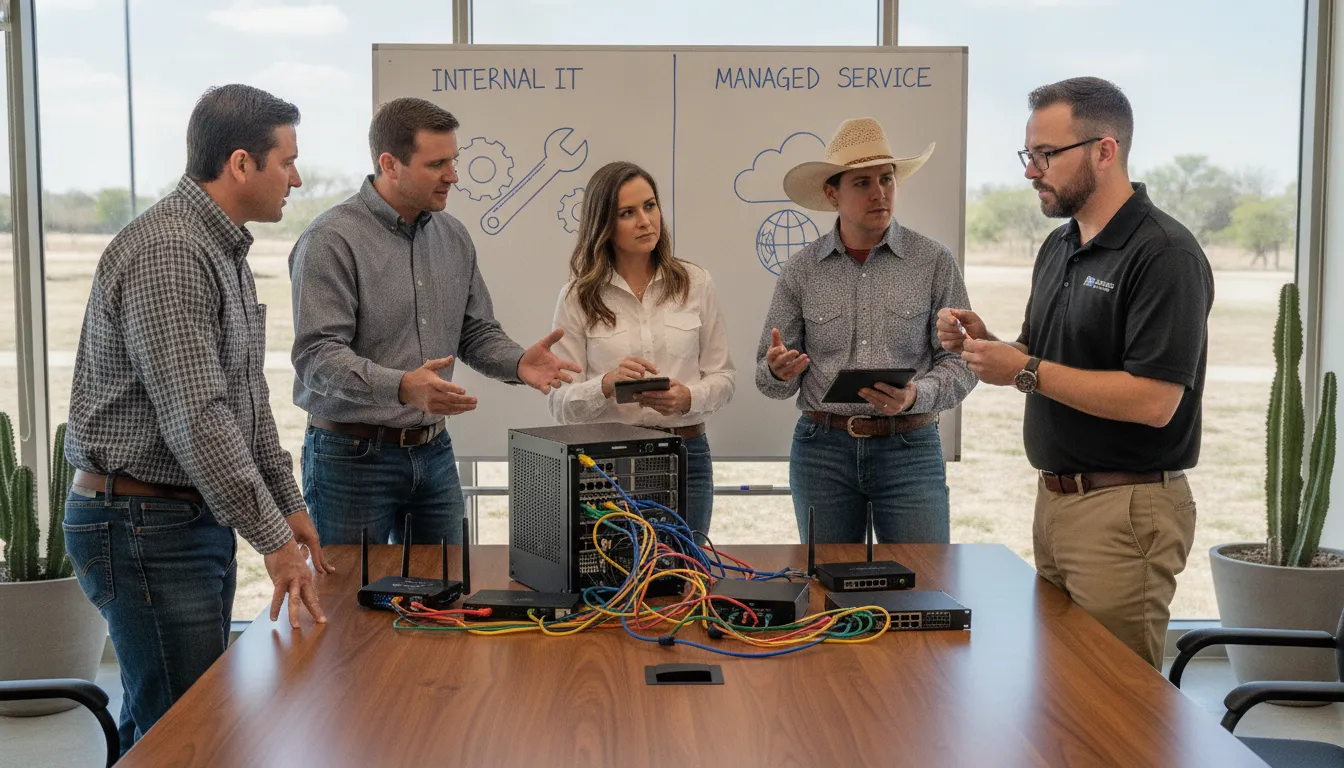
For small and midsize businesses, the financial choice extends beyond the monthly service fee or employee salary. A useful comparison accounts for hiring, retention, training, tools, and the cost of service gaps.
The price of a full-time team
When you hire an internal IT person, the pay is just the start. You also pay for health perks, payroll taxes, and plans for the future. There are also costs to find and hire new talent, which can take a lot of time and cash. If your IT person leaves, you must spend those funds all over again. An MSP can reduce the recruiting and retention burden by providing access to a shared team through a service agreement.
You must also pay for training. Tech changes fast, and your staff needs to keep their skills sharp. This means paying for classes, tests, and time away from the desk. When you have a small team, these costs add up fast. You also need to buy the tools they use to watch your network and fix problems. These costs are often part of a tech team budget that many owners forget to count.
Predictable monthly fees
A managed service provider offers a path with a flat monthly rate. This fee covers a whole team of experts instead of just one person. You do not have to worry about taxes or perks for the MSP staff. This makes your monthly spend more stable and easier to plan. It is a service model that gives you day-to-day tech help without the surprises of hiring.
MSPs also handle the cost of tools and training. They use high-end software to watch your network 24/7. Since they serve many clients, they can buy the best tech that might be too pricey for one small shop. This a shared service model helps small firms get top security and tools. You get the benefit of their big tech stack for a small part of what it would cost to build it on your own.
Finding the right balance
For most firms with 20 to 50 staff, an MSP is the best financial choice. It lets you scale your tech needs up or down without hiring or firing people. You pay for the service you need, when you need it. This shift is key for firms that want to grow without adding too much risk. By choosing a local partner, you also get fast help without the cost of a full-time on-site tech.
Expertise, coverage, and response capacity
Businesses often face a tough choice between hiring a tech person or using a service. The main difference lies in the range of skills you get. An in-house staff member may know your tools well, but they often lack the broad view that a team provides. When you compare an MSP vs in-house IT, the depth of talent is a key factor. A team sees many problems across many sites every day, which helps them find fast fixes.
Broad skills vs niche focus
A single staff member usually has one or two strong skills. They might be great at fixing PCs but know less about high-level security. This niche focus can leave gaps in your defense that a team would spot. An MSP gives you a group of experts with deep knowledge in many areas. This includes cloud tools, network safety, and software help. You get a full bench of talent rather than a single player.
This wide range of talent helps make sure no problem is too big to solve. If one person does not know the answer, they can ask a peer. This shared knowledge keeps your systems running smooth. Using a hybrid IT management model can sometimes bridge this gap. It lets you keep a local expert while still having a team for backup.
Team power vs single person risk
If your IT person gets sick or takes a vacation, your support stops. This is a big risk for any small company. You may have to wait days for a fix if they are away. In contrast, an MSP has a full staff ready to help at any time. They offer support that is often ready 24/7 to ensure your business stays online. You do not have to worry about a single point of failure.
The team approach means someone is always there to answer the phone or fix a server. This coverage also means better response times during a crisis. If a server goes down, a team can send several people to help at once. This speed can save your business from long hours of lost work. It also gives you peace of mind knowing that help is always a call away.
Keeping up with new tech
Tech changes fast, and it is hard for one person to keep up. MSP teams spend their days working with the latest tools for many clients. They see new threats and fixes before most solo workers do. This helps them stay current and bring the best ideas to your business. By using managed IT services, you get access to this shared knowledge. Your business stays safe without the high cost of constant training.
A team also has better tools for checking and care. They invest in high-end software that might be too costly for a small firm. These tools help them spot issues before they cause a crash. This proactive approach keeps your team busy and your data safe. You get the power of a large IT office for a flat monthly fee. This model makes it easy to plan your budget while keeping your tech at its best.
Which model manages cybersecurity risk better?
Neither model is automatically more secure. The better choice is the team that can consistently monitor systems, patch vulnerabilities, protect backups, train users, document controls, and respond to incidents. A small internal team may need an MSP to add specialized skills or after-hours coverage.
Constant network watch and defense
Every small firm faces persistent cyber risk. When comparing MSP vs in-house IT, a key difference is how much time and capacity the team can dedicate to monitoring. Most small internal teams work normal business hours, while a provider may offer broader team-based coverage. The NIST Cybersecurity Framework gives business leaders a practical structure for understanding and managing cyber risk, regardless of who operates the controls.
Proactive tools help find problems before they cause a shutdown. At Computek, our cybersecurity services focus on stopping threats early. This is a shift from the old way of fixing things only after they break. Thriving firms often rely on specialized outside teams to handle their safety needs and build a strong defense. This setup lets you focus on your work while experts handle the tech.
Safe backups and quick recovery
Losing data can end a firm in a few days. A managed provider sets up off-site storage to keep your files safe from fire or theft. These experts use stable cloud tools to ensure you can get back to work fast. You can learn more about how we handle data backup and recovery to keep your firm running. Having a plan in place means less stress when things go wrong.
In-house staff may not have the time to test every backup each day. They often have to juggle many tasks at once, like fixing printers or taking help calls. This can lead to gaps in your safety plan. An MSP has one main goal: keeping your business data safe and ready to use at any time. They use tools to check that every file is stored the right way.
Clear rules for business safety
Working with an expert team brings clear rules to your IT plan. A service agreement states exactly what a provider will do to protect you. This sets a high bar for work and gives you someone to hold to their word. For some firms, a hybrid IT management model works best by mixing in-house staff with outside help.
Managing risk means staying ahead of new threats. An outside team sees trends across many fields and can apply those lessons to your firm. They keep your software and systems up to date to block new types of bugs. This group effort makes your defense stronger than what one person can build alone. It also gives you a clear path for growth as your tech needs change.
Talk with Computek about your coverage gaps before hiring another employee or changing providers.
Scalability as your business changes
For businesses in Georgetown, Round Rock, Pflugerville, and North Austin, growth may mean a new location, a large construction project, more field devices, or new compliance expectations. Technology needs rarely stay flat. A new location, major project, acquisition, or seasonal rush can quickly add users, devices, software, and support requests. Your support model needs enough room to absorb that change without creating long delays.
Scaling an internal team
An internal team can grow with the business, but each new role takes time to define, recruit, and train. A small team may also struggle when a key employee leaves or takes time off. Leaders must plan staffing before service gaps affect the business.
Scaling with an MSP
An MSP can often add service capacity without requiring the client to hire another full-time employee. The provider may also bring project skills for migrations, new sites, or security work. The agreement still needs to explain what is included and how fees change as the business grows.
Plan for the next stage
Compare each option against your likely needs over the next two or three years, not only today’s support queue. Ask how each model will handle new locations, more staff, added compliance needs, and a sudden rise in support volume.
When does a co-managed IT model make sense?
Co-managed IT makes sense when an internal team understands the business but needs more capacity, specialized skills, project support, or after-hours coverage. The internal team keeps strategic ownership while the provider handles clearly assigned responsibilities.
This model blends your own staff with a third-party partner and can help when the internal team has too much work.
You do not have to choose between an MSP vs in-house IT. Instead, you can use both to stay safe and fast. Many small firms find this hybrid IT management model works best as they grow.
Filling skill gaps
Your team may know your daily work well. But they might not have deep skills in new areas. A partner can bring in niche skills for big projects. They can help with cloud moves or high-level tech checks.
This keeps your staff focused on the core business. You get expert help without the cost of a full hire. It is a smart way to get the skills you need right now.
A partner also provides a fresh set of eyes. They look for risks your team might miss. This is vital for helping small firms strengthen their defenses from cyber threats.
Your staff handles the help desk while the partner tracks the network. This split keeps the whole site running well. It also makes sure no part of your tech is left behind.
Managing the daily load
Burnout is a real risk for small IT teams. They often spend all day fixing small bugs. This leaves no time for long-term plans.
A partner can take over the routine tasks. They handle updates, backups, and managed IT services around the clock. This lets your team work on things that grow the firm.
It makes the job better for everyone. This split also helps during breaks or sick days. You do not have to worry when an expert is away.
The partner is always there to step in. They know your systems and can help at any time. This gives you peace of mind and keeps the work moving. It also makes your firm more stable over the long term.
Defining who does what
A co-managed model needs clear rules to work. You must define who owns each task. Without a plan, you might pay for the same work twice.
Or, a key task might fall through the cracks. A good service agreement states what each side will do. It lays out the lines for the bond.
This makes the link strong and avoids mix-ups. Talk with your partner about your goals. Make sure they know what your staff handles.
Keep the lines of talk open at all times. This stops small issues from becoming big problems. When both sides know their roles, the firm wins. You get a tech team that works as one unit.
How to choose the right IT support model
Choose the model that closes your most important coverage and risk gaps at a sustainable total cost. Document required response times, systems, security responsibilities, projects, and growth plans before comparing candidates.
Choosing between an MSP vs in-house IT depends on the exact needs of your business. Many small firms start with one person who handles all tech tasks. As a company grows, these needs become harder and require more time. You must decide if you want a full team on site or if you prefer a service model for your tech needs. This choice will shape how your company handles daily work and long term growth.
Look at your team and needs
Start by looking at the skills you already have in your office. Some businesses have a staff member who is good with computers. But as you add more users, that person may not have enough time for their main job. You should also think about the exact tech your team uses every day. If you use custom software, you might need a set expert on site. For most office tools, a remote team can give you the help you need without the cost of a full time salary.
You may also find that a mix of both works best. A hybrid IT setup lets you keep some staff while using a partner for big projects. This keeps your local team focused on daily tasks. The outside partner can then handle complex network work or security updates. This balance helps you stay nimble as your market changes.
Check your risk and scope
Think about what happens if your network goes down for a day. High risk firms often need help that is ready at any hour. Most in-house staff work usual office hours and take time off. An MSP often offers help all day and night to keep your business running. Many firms that stay safe use outside teams for their tech and security needs. This ensures that expert eyes are always on your systems.
You should also think about the speed of help you need. A local team is right there in the office to fix a broken mouse or printer. But a managed partner can often fix software bugs through the web in minutes. You must weigh the value of having someone in the room against the value of broad expert skill. Both models have pros and cons that depend on your daily work flow.
Check your budget and goals
Look at your budget for the next three years. An in-house team has high costs like pay, tax, and benefits. You also have to pay for training so they stay current with new tech. A service partner often has a flat monthly fee that covers a team of experts. This helps you plan your spending each month. It also lets you scale your tech help up or down as your firm grows or changes size.
- Define your IT goals. Write down what you need your tech to do for your business. Think about your plans for the next few years. This helps you see which model fits your long term vision.
- Audit your tech stack. List every tool, app, and server your company uses now. Note which ones need the most care or have the most bugs. A clear list shows where you need the most help.
- Find your skill gaps. Look at what your current team can and cannot do well. Mark the areas where you often have to call for outside help. This shows if you need a full team or just a few experts.
- Compare all costs. Add up the total cost of a full time staff member. Compare this to the monthly fee of a service partner. Do not forget to include the cost of tools and training.
- Vet your partners. Talk to local firms and ask how fast they fix bugs. Check their past work to see how they help firms like yours. This step ensures you find a partner who knows your field.
Schedule a 15-minute call to review which support model fits your team, systems, and growth plans.
Frequently Asked Questions
What is the main difference between an MSP and a break-fix IT provider?
Proactive care is what sets a modern service provider apart from old IT models. A break-fix shop only helps you when a tool or server fails. In contrast, an MSP uses proactive monitoring to find and fix bugs before they stop your work. This shift helps you avoid the high cost of downtime. You get a team that watches your network all day and night to keep things running smooth.
Can a managed service provider help my small business scale?
Hiring a new IT person every time you grow can be slow and very costly. A service provider lets you add tech power without the wait or high overhead. Businesses often use MSPs to stay current with new tech as they expand their reach. You can scale your support up or down based on your needs. This flexibility helps you grow your firm without the risk of an over-tasked in-house team.
Does an MSP offer on-site support for hardware issues?
Yes, a full-service provider can give you help through many channels. This includes email, phone, and help at your shop or office. At Computek, unlimited on-site support is a key part of our service plans. While many tasks can be done from a distance, some jobs need a tech to be there in person. Having a local team means you get fast help when you need someone to look at your physical gear.
How do managed service agreements define the role of the provider?
Each business deal comes with a set of clear rules. This contract shows which tasks the team will handle and how they will work with your firm. A well-defined managed service agreement identifies the scope of work, service expectations, and the day-to-day role of the MSP. This makes it easy to know what to expect and keeps both sides on the same page. It also helps you track if the team is meeting its goals.
Choose an IT model built for your business
The right answer should support your staff, manage risk, and give leaders a clear view of technology costs. Computek helps businesses in Georgetown, Round Rock, Pflugerville, and North Austin assess their current setup and plan a practical path forward.
Schedule a consultation with Computek to discuss the right IT support model for your business.