
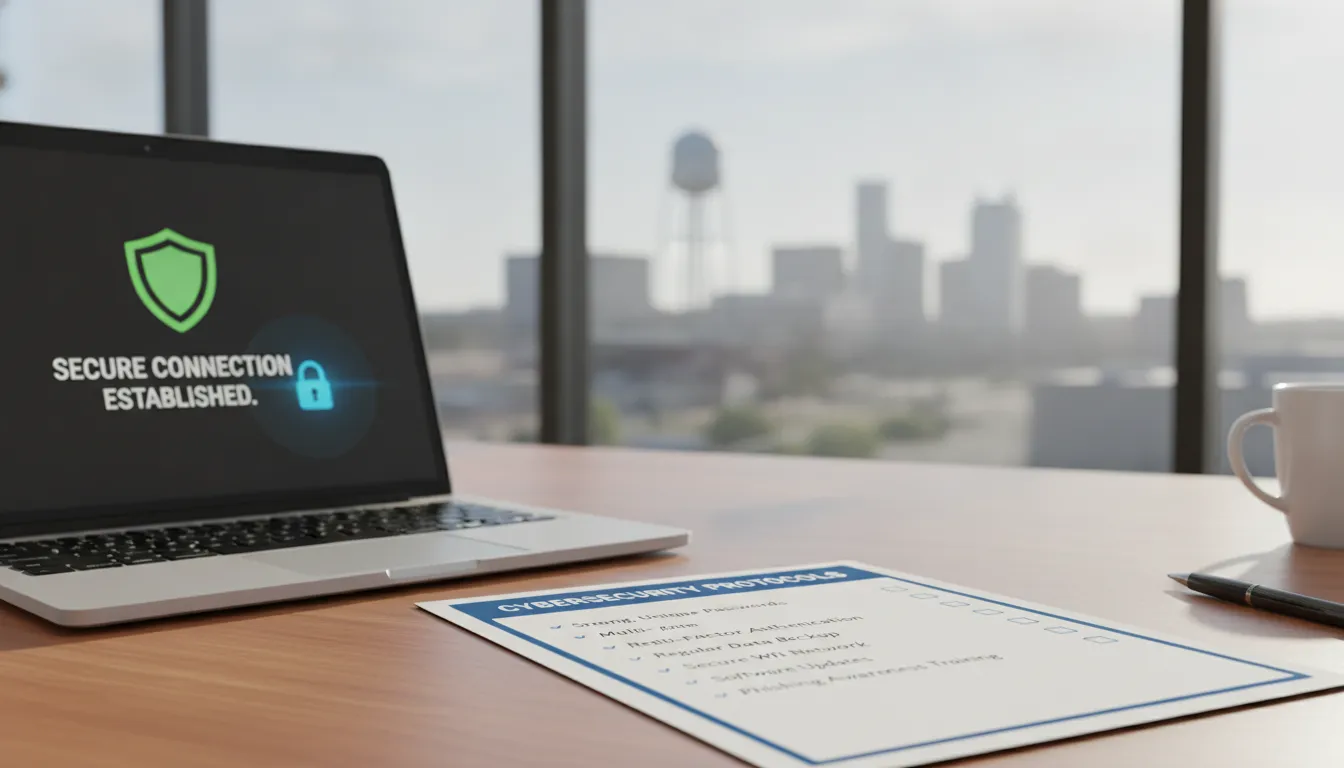
Sixty percent of small businesses that suffer a major cyber attack close their doors within six months. This staggering number shows that a single breach can destroy years of hard work for local owners.
A cybersecurity checklist for small business gives you a clear plan to protect your data and keep your company running. This list starts with simple steps like using multi-factor authentication (MFA) for all logins and picking strong, unique passwords. You should also set up network firewalls to block hackers and use professional email filters to stop bad links from reaching your team. Local firms in construction and manufacturing are prime targets because they handle valuable data. According to CISA, a full plan must also include regular training to help your staff spot and report new risks. By following these steps, you can lower the chance of losing your sensitive data or getting hit by costly ransomware. This guide helps you find the right tools to keep your Pflugerville business safe. It lets you focus on work and serve your local customers with confidence.
Local owners often think they are too small for hackers to notice, but the risk is real for any growing firm. Understanding Why Small Businesses in Pflugerville Need a Cybersecurity Checklist is the first step toward securing your operations. To begin, here is
Cybersecurity Checklist For Small Business: Why Small Businesses in Pflugerville Need a Cybersecurity Checklist
Pflugerville is a growing hub for construction, engineering, and manufacturing. As local firms expand, they face new risks from digital threats. Many owners think they are too small for hackers to notice, but the data shows a different trend. Small businesses are frequent targets for cyber attacks because they often lack the tools to protect their digital systems well.
Schedule a free cybersecurity assessment
Rising risks for local firms
Small teams in Central Texas are now on the front lines of global cyber crime. Hackers use tools to find weak spots in any network, no matter the company size. In fact, research shows that 43 percent of all ransomware attacks and data breaches targeted small businesses in 2022. For a local shop, one breach can mean losing client files or project plans for days.
The cost of a breach
The impact of a hack goes far beyond a tech glitch. Most small firms do not have a large cash reserve to handle fix costs or legal fees. Industry reports show that about 60 percent of small businesses shut down within six months of a major attack. A clear plan helps you find gaps in your setup before a crisis hits. Using comprehensive managed cybersecurity solutions can give your team the edge they need to stay safe.
Why a plan matters now
A simple list of tasks can be the difference between safety and a total loss. Hackers look for easy wins, such as weak passwords or old software. When you follow a set of best steps, you make your business a much harder target. High-quality firewall security for your connection is a great first step for any local office. Taking action now keeps your staff focused on work.
Verdict: Pflugerville businesses face high risks from cyber attacks, making a formal security plan a vital tool for long-term survival.
Multi-Factor Authentication: Your First Line of Defense
Passwords are no longer enough to keep your business safe. As a business owner, you need to use multi-factor authentication (MFA) to block hackers from your most vital systems. It is one of the four core steps to stay safe online.
Schedule a free cybersecurity assessment
What is multi-factor authentication?
MFA adds a layer of safety by asking for two different types of proof. The National Institute of Standards and Technology (NIST) says these proofs fall into three main groups. You might use something you know, like a PIN. You could also use something you have, like a phone app or card. Some systems even use something you are, such as a thumbprint or face scan.
For most shops in Pflugerville, this means getting a code on your phone after you type in your password. This simple act stops a crook from getting in, even if they steal your login details. It makes your email and bank accounts much harder to reach for outsiders.
How to set up MFA quickly
Setting up MFA is easier than most people think. Many tools like Microsoft 365 or Google Workspace let you turn it on with just a few clicks. The NIST notes that most systems will remember your device, so you do not have to enter a new code every single time you log in. This keeps your team fast and productive while keeping data safe.
Small businesses in Pflugerville should start with their most important accounts first. Focus on your email, banking, and any tools that hold customer data. Using essential cyber threat protection measures like this will help you avoid the high cost of a data leak.
Why it matters for local businesses
Pflugerville businesses are often targets because they lack the big security teams that large firms have. By using MFA, you follow the core security steps urged by federal experts. It is a non-negotiable part of any modern safety plan. It protects your brand and keeps your local shop running without breaks.
How to Defend Your Business Against Phishing and Email Threats
Email is the main entry point for modern cyber threats, making email filtering a key part of your cybersecurity checklist for small business plans. Schedule a free cybersecurity assessment to protect your Pflugerville company from new digital threats. Many local firms in construction and engineering are top targets because they handle big contracts and sensitive data. One wrong click can lead to costly downtime or data loss for your team.
How Phishing Scams Target Local Firms
Phishing is a common threat where attackers trick staff into clicking fake links or sharing secret details. In fields like building and design, these scams often look like fake bills or fast shipping news. By opening bad files, staff may by mistake set up malware that locks your systems. These attacks are made to look like they come from known local partners or state offices.
For example, a project lead might get an email that looks like a change order from a known builder. The note asks them to view a “new site plan” by clicking a link or opening a file. If the person clicks, the link may lead to a fake login page made to steal their login info. This shows the need for essential cyber threat protection measures that stop these notes before they hit the inbox.
Email Tools and Simple Fixes
Strong email defense starts with tech rules that check the sender’s identity. Tools like SPF and DKIM help mail servers prove that an email truly came from your home site. Adding DMARC gives a clear set of rules for what to do if an email fails these checks. These layers of safety make it much harder for scammers to use your business email name to trick others.
Beyond these rules, an MSP can set up smart filters that scan every incoming link and file. These filters use live data to block known bad sites and flag odd patterns. Since attackers often use new ways to trick people, these tools update all the time to keep your Pflugerville business safe. Mixing tech blocks with alert staff creates a much stronger shield against modern crime.
Staff Check and Safety Steps
Even the best filters can miss a focused scam, so your team needs clear rules for checking odd asks. Staff should be taught to check odd notes using a known contact way rather than clicking links. If a vendor asks to change payment info, your staff should call a known number to confirm. Never use the contact info given inside the odd email itself.
Steady training helps workers see the red flags of a phishing try, such as a sense of rush or odd sender names. These habits are just as vital as your software and hardware guards. A quick phone call or a separate note can stop a big breach and keep your project data safe. Making safety a part of your daily work is the best way to ensure long-term peace of mind.
Verdict: Email Security is Your First Line of Defense
To secure your Pflugerville business, you must mix smart tech filters with strict staff check rules. Tech tools like DMARC and auto link scans block most threats, while alert staff act as the last check against smart scams. This multi-layered way keeps your data safe and your work running without stops.
Network Firewalls: Securing Your Internet Connection
A firewall is a key tool in your cybersecurity checklist for small business. It acts as a guard between your office network and the wide internet. Every small business should have firewall security for its internet connection to block bad traffic. This wall looks at every piece of data that tries to enter your system and stops threats right away.
Schedule a free cybersecurity assessment today.
Without this shield, hackers can find easy ways to reach your computers. They look for open doors in your network to steal data. A well-set-up wall keeps out these threats. It lets your staff do their work without any risks. Think of it as a digital lock for your office that stays active all day and night.
Stopping External Threats
Many local shops in Pflugerville use standard routers for their web access. These basic devices often lack the strong tools needed to stop modern cyber attacks. You can upgrade to professional network security services to get a higher level of safety for your business data. These services help filter out harmful sites and block bad files before they reach your network.
Modern firewalls can also scan for viruses and track where your data goes. This helps you spot a breach before it turns into a major loss. For businesses in construction or engineering, keeping project files safe is vital. A strong network defense ensures your hard work stays private and secure from crooks.
Securing Your Devices
One common mistake is using a new router with its factory settings. Many products come with default usernames and passwords that are easy for crooks to find. To stay safe, require staff to change default credentials before they ever use new systems on your network. This simple step stops many fast attacks that try to guess common login details for new hardware.
Hackers use tools to scan the web for devices that still use these factory logins. If you leave them unchanged, you are giving away the keys to your office. Make sure all your hardware has unique, strong passwords. This includes Wi-Fi routers, printers, and any storage drives. Protecting these entry points is a core part of any good safety plan.
Planning Your Defense
Setting up your network can feel like a big job. The Federal Communications Commission (FCC) offers a tool called the Small Biz Cyber Planner 2.0 to help you. This online resource lets you build a custom plan that fits the needs of your business. It is a great starting point for any firm that wants to improve its safety posture.
Summary Verdict
Network firewalls are a must-have for every small business. They block hackers and keep your private data safe. Always change default passwords on new devices and use tools like the FCC Cyber Planner to build a strong defense. Working with an expert for your network security can save you time and prevent costly data breaches.
Building a Cybersecurity Culture Through Employee Training
Most cyber attacks start with a small human error. Your team is your best defense but they can also be your biggest risk. In Pflugerville, local firms in the construction and engineering fields often have busy staff who move fast. A good cybersecurity checklist for small business must include a plan to train these people. This keeps your data safe and helps your team feel sure of their roles.
Schedule a free cybersecurity check today to find your team’s weak spots.
The Role of Human Error
Many owners think tools like firewalls and software are enough. But even the best tech fails if an employee clicks a bad link. This is why you need fully managed IT support with built-in security. It fills the gaps between your software and your staff. It also helps you build a culture where everyone stays alert. When people know what to look for, they become a human firewall for your business. This stops threats before they can cause any real harm to your systems.
Phishing is a top risk for small shops in Central Texas. These scams try to trick your team into giving up passwords. If one person falls for a fake email, your whole network could be at risk. Training helps people stop and think before they click. This small pause can save your firm thousands of dollars in repair costs. It also keeps your client data out of the hands of bad actors. This is a vital part of staying safe today.
Step-by-Step Training Plan
A strong plan starts with clear steps. You should not just talk about risks once a year. The Cybersecurity and Infrastructure Security Agency (CISA) says that threats change fast, so once-a-year training is not enough. You must keep the topic fresh. This helps staff keep safe habits top of mind during their daily work. You can use these seven steps to build a safer culture at your shop.
- Check current knowledge. Start by testing what your staff knows now. Use a simple quiz to find where they need help. This tells you where to focus your time and your budget.
- Schedule a group session. Set a date for a full team meeting. Cover the basics like strong passwords and how to spot fake emails. Keep it brief to make sure everyone stays awake and learns.
- Run phishing tests. Send fake “test” emails to see who clicks. This is a safe way to show people how easy it is to make a mistake. It gives you a chance to teach without a real breach.
- Pick a threat tracker. Choose one person to watch for new cyber threats. Ask them to share quick tips and updates with the rest of the team. This keeps the whole group aware of new scams.
- Set up reporting rules. Your staff must know who to tell when they see something odd. Create a clear path for reporting bad emails. This helps your IT team stop threats before they spread.
- Remind them every three months. Do not let training be a one-time event. Hold short talks four times a year. Use these to review old lessons and share any new risks you have found.
- Use free CISA tools. You do not have to build everything from scratch. Use free tools and guides from CISA or trade groups. This saves time and gives you expert advice at no cost.
The Verdict: Employee Awareness
Training is not a cost; it is a way to save your firm. A team that knows how to spot a scam is just as vital as a strong lock. In Pflugerville, where small firms grow fast, keeping your staff smart is the best way to stay secure. It creates a shield that tech alone cannot provide for your business.
Verdict: Make training a core part of your cybersecurity checklist for small business to turn your staff into your strongest defense line.
What Should Your Small Business Cybersecurity Checklist Include?
Building a robust defense for your small business starts with a clear plan. A structured checklist helps you track key security steps so no gap goes unmanaged. For many firms in Pflugerville, this list is a vital tool. It serves as the first line of defense against data theft and system downtime.
Schedule a free cybersecurity assessment with our local team to secure your business today.
A good list does more than just name tools. It defines how your team works. It also sets rules for every device on your network. By following these steps, you build a safe work culture. This makes it easier to show clients that you take data privacy seriously.
Essential Security Controls for Small Businesses
Most small firms face tight budgets and small teams. This makes it vital to focus on the most helpful moves first. Per CISA guidelines, your core checklist should include staff training and strong passwords. You also need multifactor authentication and software updates.
The following table compares eight key controls. These help you plan your budget and staff time. These items form the spine of a detailed Texas SMB Cybersecurity Checklist for modern companies.
| Control | What It Does | Difficulty | Cost |
|---|---|---|---|
| MFA | Adds a second layer of login security. | Low | Low |
| Email Filtering | Blocks phishing and spam before they hit inboxes. | Medium | Low |
| Network Firewall | Acts as a shield for your internet connection. | Medium | Medium |
| Employee Training | Teaches your staff how to spot and report threats. | Low | Low |
| Password Manager | Stores and fills complex, unique passwords. | Low | Low |
| Endpoint Protection | Defends computers and phones from malware. | Medium | Medium |
| Data Backup | Saves copies of your files to prevent data loss. | Medium | Medium |
| Software Updates | Patches security holes in your apps and OS. | Low | Low |
How to Set Priorities for Your Security List
You do not need to do everything at once. Start with the “four essentials” to get the most gain with the least cost. For example, a password manager helps your team use long, unique passwords. This step stops many attacks that use stolen logins.
Next, focus on your hardware. You should install antivirus tools on every computer used for your business. Per NIST standards, keeping these tools updated is a key part of staying safe. Once your devices are secure, move on to network tools. Use firewalls to block threats before they reach your staff.
Review your checklist every quarter. Make sure all tools are active and working well. As your business grows, your needs will change. Regular checks help you find new risks and fix them fast. This approach keeps your Pflugerville firm safe and keeps you focused on your work.
Verdict: A structured cybersecurity checklist is a must-have for small firms. Focus on high-impact steps like MFA, training, and software updates to build a strong defense on a budget.
Frequently Asked Questions
Do small businesses really need a cybersecurity plan?
Yes. Small businesses are frequent targets for cyberattacks. They often lack the tools to secure their data well. According to Forbes, about 60 percent of small firms that suffer a breach close within six months. A local plan for your Pflugerville office helps you find risks early. This keeps your business running even when threats change. You need a solid plan to protect your team and your customers from harm.
What are the common cyber threats targeting small businesses today?
Small firms face many risks like ransomware and phishing. Hackers use phishing to trick your staff into clicking fake links or sharing secrets. Data shows that 43 percent of all ransomware attacks in 2022 hit small and medium-sized businesses. These attacks can lock your files or steal sensitive client data. Using a local checklist helps you stop these common threats before they hurt your Pflugerville business.
How should small businesses handle remote work and public Wi-Fi security?
You should create a mobile device plan to protect your data outside the office. The FCC suggests setting clear rules for how staff use mobile devices for work. Tell your team to avoid using public Wi-Fi without a safe connection like a VPN. You should also require employees to use strong passwords and encryption on all phones. This keeps your business data safe when your team works from home or on the go.
How does multi-factor authentication improve small business security?
Multi-factor authentication, or MFA, adds a vital second layer of safety to your accounts. It asks for two different types of proof. This might be a password plus a code sent to your phone. The NIST states that MFA uses something you know, have, or are. This makes it much harder for hackers to get into your systems even if they steal your password. It is a simple way to protect your Pflugerville company.
Ready to Secure Your Pflugerville Business?
Waiting to fix your tech safety can lead to a major data loss that stops your work. For a local team in Pflugerville, even one hack can halt your shop and cost you the trust of your clients. You do not want to find out your locks are weak after someone is already inside your network. Building a strong plan now means you can focus on your jobs without the fear of a surprise attack. A breach can shut you down for weeks and drain your funds very fast. Taking these steps now is much cheaper than paying for a fix after a breach has hit. This keeps your staff safe from tricks that steal their logins or bank info.
Ready to secure your business? Schedule a free cybersecurity assessment to protect your team.