
Managed IT Services for Medical Offices and Healthcare Clinics in Central Texas
Your EHR system goes down at 8:55 a.m., five minutes before the first patient of the day. Your front desk staff cannot pull up records, your providers are flying blind, and your billing queue is frozen. This is not a hypothetical for many medical practices in Georgetown, Round Rock, and Austin. It is Tuesday morning, and it happens more often than most practice managers want to admit.
Schedule a Free Healthcare IT Assessment
Healthcare IT is not like IT for a retail store or an accounting firm. The stakes are different. The regulations are different. And the cost of getting it wrong, measured in HIPAA fines, ransomware response, lost productivity, and patient trust, is far higher than the cost of getting it right. That is why more practices across Central Texas are looking for managed IT services for medical offices in Central Texas instead of general small business IT support.
This guide breaks down what separates healthcare IT from standard support, what can happen when a provider does not understand HIPAA, and how Computek helps small and mid-size medical, dental, and specialty practices keep their systems secure, compliant, and ready for patient care.
What Makes Healthcare IT Different From Regular IT Support?
Healthcare IT requires a provider that understands patient data, HIPAA safeguards, EHR software, clinical workflows, and connected medical devices. Computek supports Central Texas medical offices by combining managed IT, cybersecurity, backup, and local support around the daily realities of patient care.
General-purpose IT support is designed around common business needs: keeping computers running, managing email, setting up printers, and troubleshooting network problems. That covers a lot of ground for a construction company or a professional services firm. For a medical office, it only covers the basics.
HIPAA Compliance Is Not Optional
The Health Insurance Portability and Accountability Act sets strict rules for how protected health information, also called PHI, must be stored, transmitted, accessed, and documented. Those rules apply to every device and system that touches patient information: workstations, laptops, tablets, phones, EHR platforms, email, backups, and cloud storage.
Specific HIPAA Security Rule safeguards that your IT provider should help address include:
- Access controls, so only authorized users can view PHI
- Audit controls, so systems can show who accessed patient data and when
- Transmission security, so PHI is protected when it moves across networks
- Integrity controls, so patient information is protected from improper changes or deletion
- Automatic logoff, so unattended workstations do not expose records
A healthcare-aware IT provider does not just know these terms. They configure the safeguards, document the work, and help your practice maintain proof that reasonable protections are in place.
EHR and EMR Software Needs Hands-On Infrastructure Support
Electronic health record and practice management systems such as Athenahealth, Epic, Modernizing Medicine, Dentrix, and specialty platforms often depend on specific server, network, backup, and vendor support requirements. A normal file backup is not always enough for a clinical database. A normal software patch schedule may not be safe for an application that supports billing, imaging, or patient records.
Computek helps practices manage the infrastructure around these platforms and coordinate with EHR vendors when application-level support is needed. That gives your staff one local technology partner instead of a long list of disconnected vendors.
Connected Medical Devices Create Network Risk
Modern medical offices rely on digital X-ray systems, check-in tablets, imaging devices, lab interfaces, printers, scanners, payment devices, and patient communication tools. Each connected device can become a path into the network if it is not segmented and monitored correctly.
Healthcare IT planning should separate clinical devices from administrative systems, limit what each device can access, and monitor unusual activity. That type of network design is different from the flat networks often found in small offices.
What Does HIPAA-Compliant IT Support Actually Include?
HIPAA-compliant IT support includes access management, secure email, device policies, audit logging, backups, encryption, risk reduction, and documentation. Computek helps Central Texas healthcare practices put these safeguards in place so compliance is built into daily operations instead of treated as a yearly checklist.
No outside provider can make a practice compliant by themselves. HIPAA compliance also depends on leadership decisions, staff training, policies, vendor agreements, and ongoing review. But your IT provider plays a major role because the technical safeguards are where many small practices fall short.
Access Controls and User Management
Every employee should have access only to the systems and records they need for their role. Shared logins, stale accounts, weak passwords, and missing multi-factor authentication all increase risk. Computek helps practices tighten user access, remove old accounts, and apply policies that fit front desk staff, providers, billing teams, and administrators.
Security Monitoring and Threat Protection
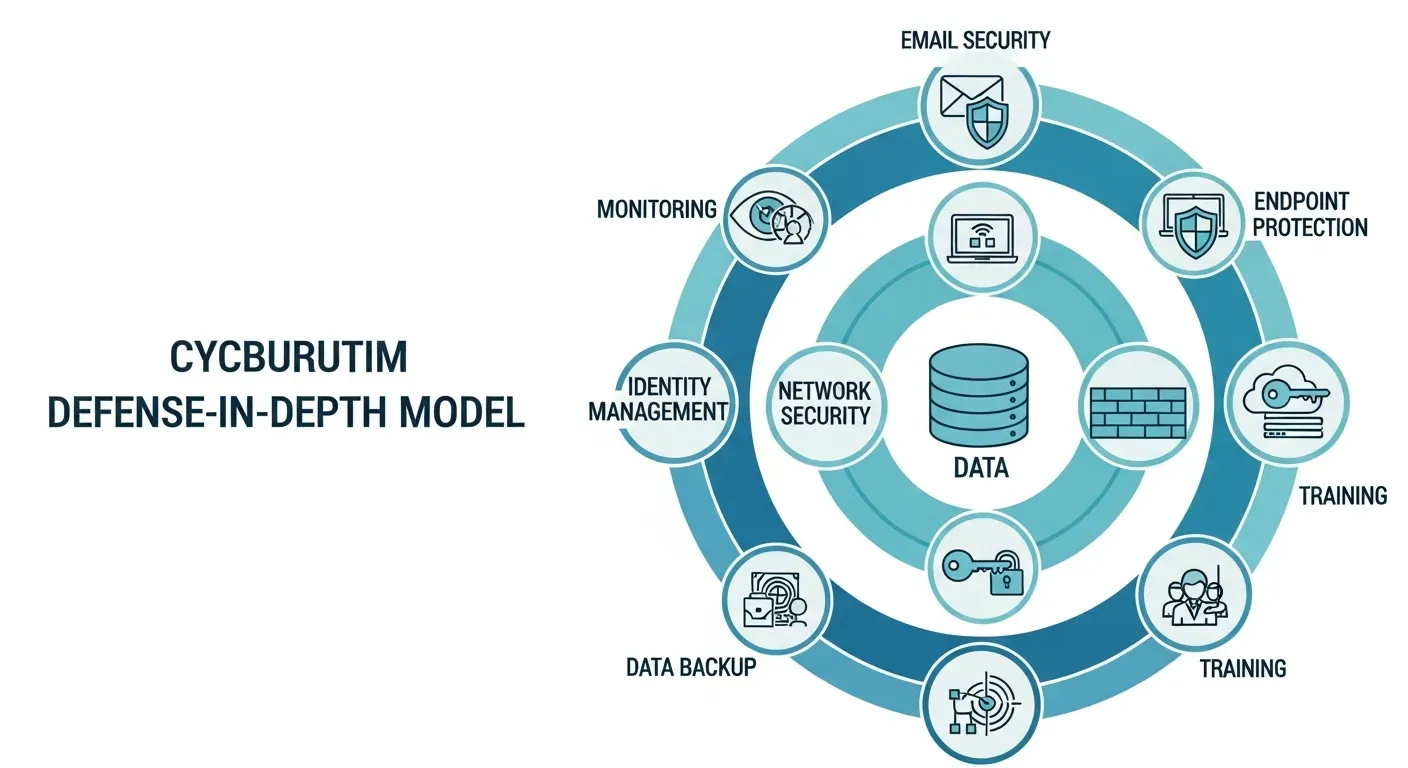
Medical practices are common targets for phishing, ransomware, and credential theft because patient data is valuable and downtime creates pressure to pay. Computek’s cybersecurity services add practical protection through endpoint security, email filtering, phishing protection, employee security awareness training, dark web monitoring, and ongoing threat monitoring.
These controls are especially important for practices that rely on Microsoft 365, cloud EHR tools, remote access, or staff who move between locations.
Backup and Disaster Recovery
A backup is only useful if it can be restored when the practice needs it. Computek’s data backup and recovery services help protect clinical and business systems with backup planning, recovery procedures, and continuity support. For healthcare offices, the goal is not just to save files. The goal is to resume patient care with as little disruption as possible.
Cloud and Remote Access Controls
Many healthcare practices now use cloud-based applications, remote work tools, hosted email, and shared storage. Computek’s cloud computing services help practices choose and manage cloud systems that support accessibility while keeping security, permissions, and backup needs in view.
Talk With Computek About Healthcare IT Support
How Can the Wrong IT Provider Put a Medical Practice at Risk?
The wrong IT provider can leave a medical practice exposed to HIPAA gaps, ransomware, data loss, downtime, and weak documentation. Computek helps healthcare offices reduce those risks by aligning IT management with security, compliance, backup, and local support needs.
Many healthcare practices in Central Texas still work with providers who manage their network as if it were any other small business environment. The risk is not only technical. It can affect revenue, patient confidence, and the practice owner’s ability to prove that reasonable safeguards were in place.
HIPAA Fines Can Be Severe
The U.S. Department of Health and Human Services Office for Civil Rights enforces HIPAA and can issue penalties based on the level of negligence. Civil monetary penalties can range from $100 to $50,000 per violation, with annual caps by violation category. A breach affecting 500 or more patients also triggers public reporting requirements.
The critical point for practice leaders is simple: blaming an IT vendor is not a complete defense. As the covered entity, the practice is responsible for protecting PHI and maintaining appropriate safeguards.
Breach Response Costs Add Up Quickly
If ransomware encrypts patient records or an attacker steals PHI, the practice may face forensic investigation costs, patient notification, legal support, credit monitoring, operational disruption, and reputational damage. IBM has reported that healthcare remains one of the most expensive industries for data breaches, with average costs reaching into the millions.
For an independent practice in Georgetown, Round Rock, Cedar Park, or North Austin, even a small portion of those costs can threaten cash flow and patient trust.
Downtime Directly Affects Patient Care and Revenue
When the EHR is down, providers cannot easily review histories, the front desk cannot check patients in efficiently, and billing may stop. Every hour of downtime creates delays, staff frustration, and lost productivity. Computek’s managed IT services focus on monitoring, maintenance, patching, alerts, and support to reduce the chance that small issues become patient-facing outages.
How Does Computek Support Medical Offices in Central Texas?
Computek supports medical offices in Central Texas with managed IT services, cybersecurity, backup planning, cloud support, consulting, and local technicians. Based in Georgetown since 2001, Computek helps practices in Georgetown, Round Rock, Austin, Cedar Park, Leander, and nearby communities manage technology with fewer gaps.
Computek is not a national call center. The team is headquartered in Georgetown and has supported Central Texas businesses for more than 25 years. That local presence matters when a practice needs help before the first appointment, during a busy clinic day, or after an urgent system alert.
HIPAA-Aware Security Architecture
Computek helps healthcare clients design security around how a practice actually works. That may include workstation policies, access management, network segmentation, secure remote access, email protection, endpoint security, and documentation that supports HIPAA Security Rule expectations.
EHR-Compatible Backup Planning
Healthcare backups need to account for databases, schedules, vendor requirements, recovery time, and patient care priorities. Computek helps practices plan for server failure, ransomware, accidental deletion, natural disasters, and other interruptions that could affect clinical operations.
Strategic IT Guidance for Practice Owners
Practice leaders often need more than help desk support. They need a technology plan for growth, software changes, security spending, compliance priorities, and vendor decisions. Computek’s IT consulting services help owners and administrators make those decisions with a clear view of risk and budget.
Local Support From a Team That Knows Your Office
Computek provides remote and on-site support options for businesses across Georgetown and the surrounding region. A local technician who understands your network, your staff, and your service history can often resolve problems faster than a rotating national help desk.
| IT Need | General IT Support | Healthcare-Focused IT Support |
|---|---|---|
| Data protection | Basic file backup | Backup planning for records, applications, recovery, and downtime |
| Security | Antivirus and occasional updates | Endpoint protection, email security, access controls, monitoring, and staff training |
| Compliance | Limited documentation | Support for HIPAA technical safeguards and audit-ready records |
| Medical devices | Devices often share one network | Segmentation and monitoring for clinical and administrative systems |
| Support model | Reactive troubleshooting | Proactive monitoring, maintenance, planning, and local escalation |
What Would a Healthcare IT Review Find in a Georgetown Dental Office?
A healthcare IT review often finds shared logins, weak workstation policies, missing recovery tests, flat networks, unsecured email, and incomplete documentation. Computek helps practices identify these gaps, prioritize the highest risks, and build a practical roadmap for safer day-to-day operations.
Consider a Georgetown dental practice with 15 employees, three operatories, Dentrix, digital X-ray equipment, a billing clearinghouse, and patient check-in tools. Like many small practices, the office had a general IT provider who kept computers and internet service running but had not documented HIPAA technical safeguards.
During a healthcare IT review, Computek would look for gaps such as workstations without automatic logoff, X-ray systems on the same network segment as front desk computers, PHI sent through unsecured email, old user accounts that still have access, and backups that have not been tested for a full Dentrix recovery.
The recommended improvement plan might include network segmentation, workstation policies, encrypted email, application-aware backups, monthly restore testing, phishing training, and a documented technical safeguard checklist. The result is not just a cleaner network. It is a practice that can respond with confidence if an auditor, insurer, or cyber incident ever requires proof of reasonable safeguards.
Frequently Asked Questions
Do I need a HIPAA Business Associate Agreement with my IT provider?
Yes. If your IT provider can access systems that contain protected health information, even incidentally, they may qualify as a Business Associate under HIPAA. A medical office should have a signed Business Associate Agreement with that provider and should understand what services the agreement covers.
What is HIPAA-compliant IT support in Georgetown, TX?
HIPAA-compliant IT support means your provider understands the technical safeguards that help protect patient information, including access controls, audit logging, encryption, session timeouts, backups, and secure transmission. Computek provides these services to medical and dental practices in Georgetown and throughout Central Texas.
How is managed IT for medical offices different from regular IT support?
Managed IT for medical offices includes the normal responsibilities of IT support plus healthcare-specific needs such as EHR infrastructure, protected health information, clinical device segmentation, HIPAA documentation, secure email, backup recovery, and staff security training. Regular IT support may keep computers running but miss the compliance and patient-care risks.
What happens if my medical practice has a data breach?
Under HIPAA’s Breach Notification Rule, a practice may need to notify affected patients, report the breach to HHS, investigate what happened, and document corrective action. If 500 or more patients are affected, additional public reporting requirements can apply. Proactive IT safeguards are usually far less disruptive than breach response.
Can Computek support my EHR software?
Computek supports the infrastructure around your EHR, including workstations, servers, networks, backups, remote access, security, and vendor coordination. For application-specific issues, Computek can work with your EHR vendor so your practice has a local technology partner coordinating the process.
How much do managed IT services cost for a medical office?
Pricing depends on the number of users and devices, current infrastructure, security requirements, support needs, and compliance priorities. A free assessment helps identify what your practice needs before you commit to a plan.
Ready to Protect Your Practice? Schedule a Free IT Assessment
Medical offices in Central Texas need IT support that protects patient information, reduces downtime, supports staff, and keeps technology aligned with the realities of patient care. Computek brings local experience, managed IT services, cybersecurity, backup planning, cloud support, and consulting together for practices that cannot afford avoidable technology problems.
If you run a primary care office in Round Rock, a specialty clinic in Georgetown, a dental practice in Austin, or another healthcare office in the region, Computek can help you find the gaps before an outage, audit, or cyberattack finds them for you.