
How to Choose an IT Support Company in Georgetown, TX
If you are searching for how to choose IT support company Georgetown TX, you are probably dealing with one of two situations: your business has outgrown do-it-yourself tech support, or your current provider is not responding fast enough. Either way, the right IT partner should reduce risk, prevent downtime, and give your team a clear path forward instead of another vendor to manage.
Schedule a 15-Minute Call to talk through your current IT support needs with a local Central Texas team.
For small businesses in Georgetown, Round Rock, and the surrounding I-35 corridor, choosing an IT support company is not just about who can fix a laptop. It is about finding a provider who understands your location, your industry, your security risks, your budget, and the pace at which your company is growing.
Quick Answer: To choose the right IT support company in Georgetown, TX, compare providers by local presence, response time commitments, proactive monitoring, cybersecurity expertise, industry experience, transparent pricing, and contract flexibility. A strong provider should offer remote help desk support, on-site service when needed, 24/7 monitoring, clear reporting, and a plan that scales with your business.
What Support Model Does Your Business Actually Need?
Direct Answer: Most growing small businesses need a managed IT support model, not only break-fix repairs. Break-fix support solves isolated problems after they interrupt work. Managed IT services monitor systems, secure devices, support users, check backups, and plan improvements before small technology issues become business disruptions.
Before comparing IT companies, clarify what kind of support you need. Many businesses use the phrase IT support to describe very different services.
A break-fix provider helps when something stops working. You call, they troubleshoot, and you pay for the repair. That can work for very small offices with minimal technology, but it leaves your business exposed because no one is monitoring systems before problems happen.
A managed service provider, or MSP, takes a proactive role. The provider monitors your network, applies security patches, manages backups, supports users, coordinates vendors, and helps plan technology improvements. For companies with 10 to 75 employees, managed IT services often provide better coverage than hiring one internal IT generalist.
If your team depends on cloud applications, shared files, customer data, job site connectivity, accounting software, or secure email, a proactive MSP model is usually the better fit.
What Should You Look for in a Local IT Support Company?
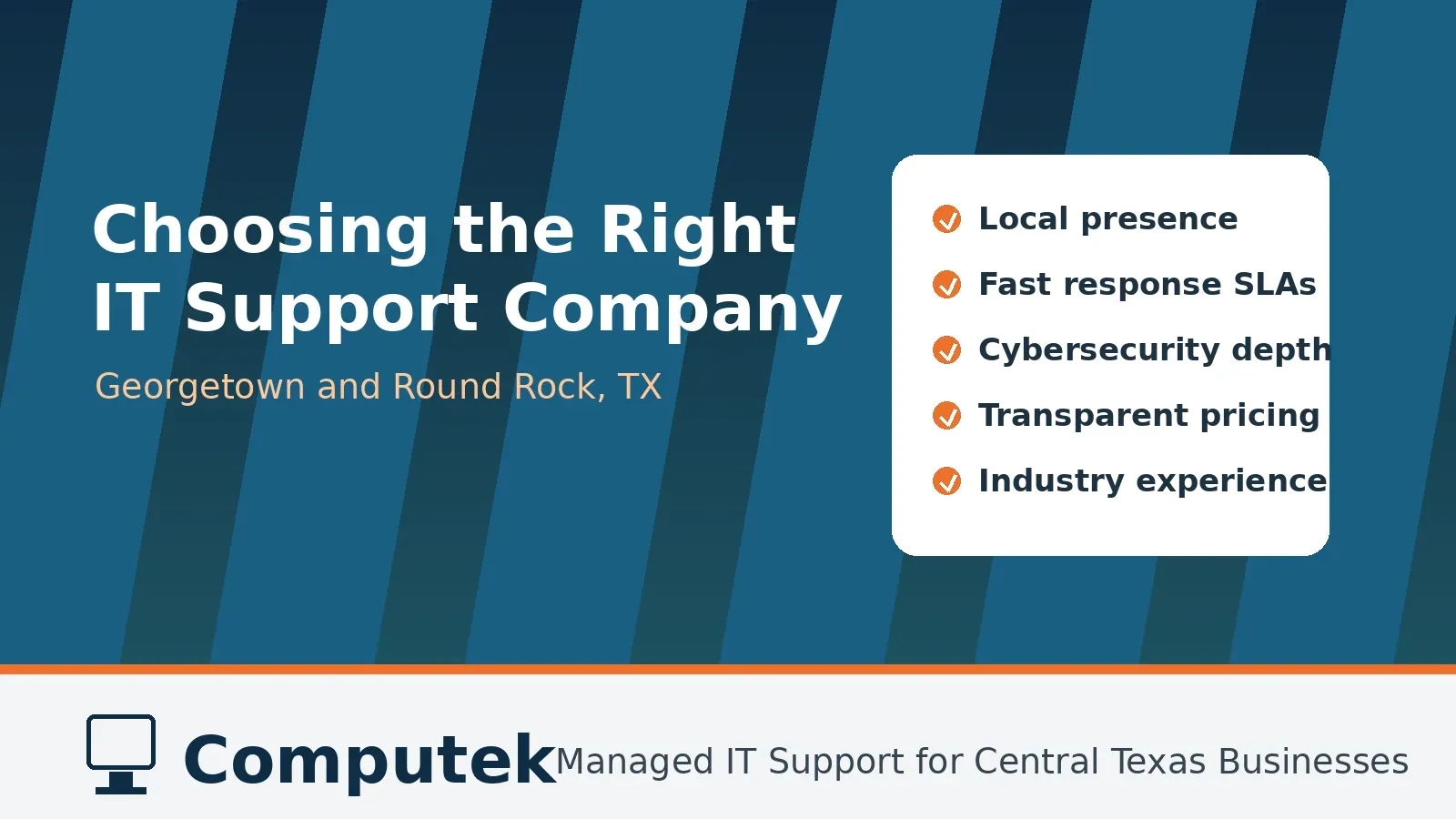
Direct Answer: Look for seven core criteria: local presence, clear response times, proactive monitoring, cybersecurity depth, relevant industry experience, transparent pricing, and strategic guidance. The best provider should explain how support works, what is included, how security is handled, and how the plan will scale as your business grows.
The best IT support company for a Georgetown or Round Rock business should meet more than a basic technical standard. Use the following criteria to compare providers side by side.
- Local presence and on-site response: Remote support can resolve many issues quickly, but not every problem can be fixed through a screen share. Hardware failures, office moves, network wiring issues, workstation setups, and internet outages often require someone on-site. A provider based near Georgetown and Round Rock can respond faster than a remote-only help desk or a national company routing tickets through another state. Ask each provider where their technicians are located, whether on-site visits are included, and how quickly they can reach your office during a critical issue.
- Clear response time commitments: Every IT company says they respond quickly. You need specifics. Look for documented response time expectations by priority level, especially for critical outages and security incidents. A good provider should explain how tickets are triaged, what counts as urgent, how users request help, and how escalations work when a problem is not solved quickly.
- Proactive monitoring instead of reactive repairs: If a provider only appears after something breaks, you are still carrying most of the risk. Modern IT support should include proactive monitoring, automated alerts, patch management, endpoint protection, backup checks, and regular technology reviews. Computek’s managed IT model includes proactive monitoring and support for businesses across Georgetown, Round Rock, and North Austin.
- Cybersecurity depth: Cybersecurity cannot be an add-on that appears only after a breach. Ask what security protections are included by default, including endpoint protection, email filtering, firewalls, multi-factor authentication, employee security awareness training, dark web monitoring, backup recovery, and incident response planning. Computek provides cybersecurity services alongside managed IT support so protection is built into the overall IT strategy.
- Experience with businesses like yours: Industry experience matters because every business runs on different workflows. A construction company supporting field teams has different needs than an accounting firm protecting tax documents or a non-profit managing donor data. Ask whether the provider has supported companies with similar user counts, compliance needs, line-of-business software, and growth plans.
- Transparent pricing and scope: Do not compare price alone. Compare what is included. A lower monthly fee may not be cheaper if backups, security tools, vendor coordination, strategic planning, or on-site visits are billed separately. Ask for a written scope that explains included services, exclusions, user counts, device counts, response expectations, project rates, cancellation terms, and what happens as your business adds employees.
- Strategic guidance for growth: The right IT support company should help you plan, not just troubleshoot. As your business grows, technology decisions become more expensive and more connected. Look for a provider that offers regular business reviews and IT consulting so you can budget for upgrades and avoid unnecessary purchases.
Schedule a 15-Minute Call if you want a local review of whether your current IT support is proactive enough.
How Do You Compare IT Support Companies Side by Side?
Direct Answer: Compare IT support companies with a checklist that separates sales claims from service details. Ask where technicians are based, how tickets are prioritized, what is monitored, which security tools are included, which industries they serve, how pricing changes, and whether contracts allow flexibility if service quality drops.
Use this checklist when interviewing IT support providers in Georgetown, Round Rock, or Central Texas.
| Evaluation Factor | What to Ask | Why It Matters |
|---|---|---|
| Local presence | Where are your technicians based, and do you provide on-site support? | Local teams can respond faster when remote support is not enough. |
| Response times | What are your response targets for critical, high, and normal tickets? | Clear expectations reduce frustration during outages. |
| Monitoring | Do you monitor systems 24/7 and alert on backup, security, and device issues? | Proactive monitoring prevents avoidable downtime. |
| Cybersecurity | Which security tools and processes are included in the standard plan? | Security should be part of daily IT management, not a separate afterthought. |
| Industry fit | Have you supported companies in our industry and size range? | Relevant experience speeds onboarding and improves recommendations. |
| Pricing | What is included, what costs extra, and how does pricing change as we grow? | Transparent scope helps you budget confidently. |
| Contracts | Are there long-term commitments, cancellation penalties, or automatic renewals? | Flexible terms protect you if service quality does not meet expectations. |
Which Red Flags Should You Watch For?
Direct Answer: Red flags include slow pre-sales communication, vague pricing, unclear cybersecurity answers, no local on-site option, long lock-in contracts before assessment, weak documentation, and providers who focus only on tools. A reliable IT partner should explain process, accountability, reporting, escalation, and business impact in plain language.
Some warning signs are easy to miss during a sales conversation. Slow responses before you become a client often indicate slow responses after you sign. Vague answers about pricing, security, or service scope can lead to surprises later.
Be cautious if a provider pushes a long-term lock-in contract before completing an assessment, relies only on offshore or remote support, cannot explain their cybersecurity stack, refuses to provide references, or treats on-site support as an exception rather than a normal service option.
You should also be careful with providers who focus only on tools. Software matters, but good IT support depends on process, documentation, communication, and accountability. The provider should be able to explain how they will learn your environment, support your users, protect your data, and report results in plain language.
Why Do Local MSPs Matter for Georgetown and Round Rock Businesses?
Direct Answer: Local MSPs matter because Central Texas businesses often need both remote help and practical on-site support. A Georgetown-based provider can understand local growth, office locations, business corridors, and response expectations while still delivering managed IT, cybersecurity, cloud, backup, consulting, and phone system support.
Georgetown and Round Rock businesses operate in a fast-growing region where technology needs can change quickly. New employees, new locations, hybrid work, construction growth, and increasing cybersecurity threats all put pressure on IT systems.
A local managed IT provider brings practical advantages. They understand the Central Texas business environment, can visit your office when needed, and have a vested interest in the local community. For companies along Williams Drive, I-35, University Boulevard, La Frontera, and nearby business corridors, local access can be the difference between a minor disruption and a day of lost productivity.
Computek has served Central Texas businesses since 2001 and is headquartered in Georgetown. The team supports small and medium-sized organizations across Georgetown, Round Rock, North Austin, Cedar Park, Leander, Pflugerville, and nearby communities. Services include managed IT support, cybersecurity, cloud computing, data backup and recovery, IT consulting, and VoIP phone systems.
That local focus matters because IT support is ultimately a relationship. Your provider should know your systems, your people, your office setup, and the business impact of downtime. You should not have to re-explain your environment every time you need help.
Computek’s local team combines Central Texas experience with a service model built for established small and medium-sized businesses that want stable technology, predictable support, and a partner who can grow with them.
Schedule a 15-Minute Call to compare your current IT support options with a local provider based in Georgetown.
What Questions Should You Ask Before You Sign?
Direct Answer: Before signing, ask who supports your team, how tickets are submitted, what the monthly plan includes, how cybersecurity is handled, how onboarding and offboarding work, how documentation is maintained, and how often the provider reviews your technology roadmap and budget with leadership.
- Who will be our day-to-day support contact?
- How do users submit tickets, and how are urgent issues escalated?
- What is included in monthly support, and what is billed separately?
- Do you provide documentation of our network, devices, backups, and vendors?
- How do you handle employee onboarding and offboarding?
- What cybersecurity protections are included from day one?
- How often will we review our technology roadmap and budget?
- Can you support both remote employees and on-site office needs?
Frequently Asked Questions About IT Support Companies
Direct Answer: Business owners usually ask whether local providers are better, how much managed IT costs, when to switch vendors, and whether Computek serves both Georgetown and Round Rock. The answers depend on response needs, service scope, security requirements, and whether the business wants a proactive long-term partner.
What should I look for in an IT support company in Georgetown, TX?
Look for local presence, documented response times, proactive monitoring, cybersecurity expertise, industry experience, transparent pricing, and flexible contract terms. The provider should be able to support both remote issues and on-site needs when hardware, network, or office problems require a local technician.
Is a local IT support company better than a national provider?
For many small and medium-sized businesses in Georgetown and Round Rock, a local provider is a better fit because they can deliver faster on-site response and build a closer working relationship with your team. National providers may work for basic remote help desk needs, but they often lack local context and physical availability.
How much do managed IT services cost for small businesses?
Managed IT pricing depends on the number of users, devices, security requirements, and services included. Many providers use a flat monthly model so businesses can budget more predictably. Ask for a written scope that explains what is included, what costs extra, and how pricing changes as your company grows.
When should a business switch IT support providers?
Consider switching if your provider responds slowly, repeats the same fixes without solving root causes, lacks cybersecurity expertise, provides unclear invoices, or cannot support your growth. Frequent downtime and poor communication are signs that your current IT support model is not working.
Does Computek serve both Georgetown and Round Rock?
Yes. Computek is headquartered in Georgetown and serves businesses across Georgetown, Round Rock, North Austin, Cedar Park, Leander, Pflugerville, and nearby Central Texas communities. The team provides managed IT services, cybersecurity, cloud support, data backup, IT consulting, and VoIP solutions.
Choose a Partner That Fits the Way You Work
Direct Answer: The right IT support partner should match your business size, location, risk level, budget, and growth plans. For Georgetown and Round Rock companies, Computek offers a local option for managed IT support, cybersecurity, cloud services, backup, consulting, and VoIP through a relationship-focused service model.
The best IT support company is the one that understands your business, responds when it matters, prevents problems before they interrupt work, and helps you make confident technology decisions. For Georgetown and Round Rock businesses, that often means choosing a local MSP with both technical depth and a relationship-first approach.
If your current support feels reactive, slow, or unclear, it may be time to compare your options. Computek can help you evaluate where your technology stands today and what level of support will fit your next stage of growth.
Schedule a 15-Minute Call to start the conversation.