
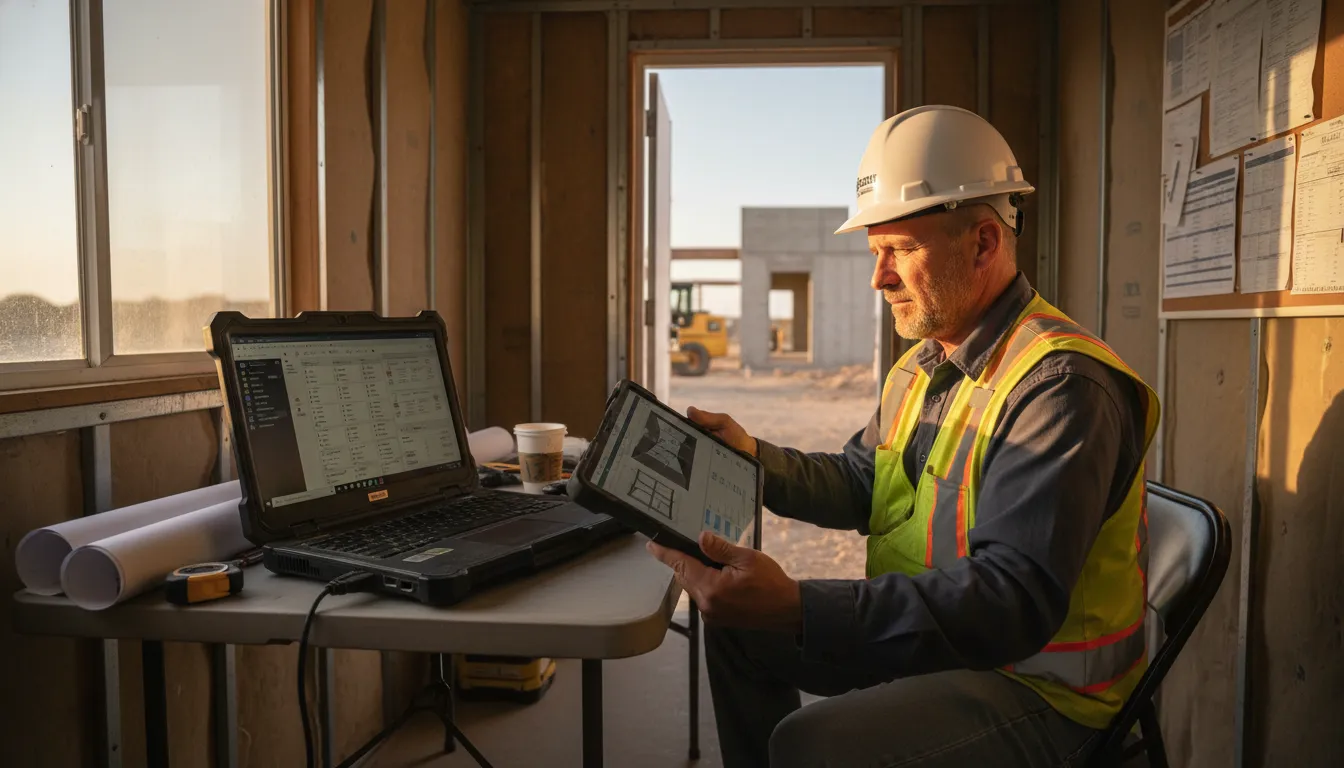
Every missed drawing update or failed tablet login can stall a subcontractor’s crew. Growing across Central Texas makes those small technology gaps costlier on every active jobsite.
Contact Computek to plan dependable field-team IT support.
IT support for construction subcontractors keeps foremen, crews, and office staff connected to the files and software needed to finish work on schedule. For a growing Central Texas trade contractor, that means reliable jobsite connectivity and secure cloud access to drawings and change orders. It also means protected laptops and tablets, supported project software, tested backups, and proactive monitoring that finds issues before downtime spreads. Computek states that its proactive monitoring is designed to identify and fix potential issues before they cause problems for a business. A scalable support plan lets owners add users, devices, and jobsites without turning each new project into another technology scramble during a busy Central Texas season.
Before a subcontractor adds another crew or jobsite, it should know which tools, access controls, and support habits prevent avoidable delays. That practical question is why the next section, IT support for construction subcontractors keeps field work moving, starts with the systems crews depend on daily.
IT support for construction subcontractors keeps field work moving
A subcontractor does not run one fixed office with one steady set of tasks. Owners, project managers, estimators, and foremen coordinate bids, schedules, drawings, changes, and field questions across active jobsites. When a foreman cannot reach a current file, the delay reaches office staff and crews at the same time.
Coordination across field and office roles
IT support for construction subcontractors must fit this work pattern. An estimator may need plans while pricing the next job. A project manager may track changes on one site while a foreman handles work on another. The owner still needs a clear view of operations without becoming the company’s IT desk.
This is narrower than general IT advice for a broad construction firm. A subcontractor joins another project’s schedule and document flow, often while running several crews. Support must account for mobile work, jobsite access, and the handoff between bid files and work in progress.
Access to files where work happens
Field work depends on access to the information crews need for the day’s scope. Tablets and laptops may move from the shop to a truck and then to a site. A stable plan for connectivity, cloud access, devices, and support helps keep those handoffs practical.
- Estimators need dependable access to bid documents and updated project details.
- Project managers need shared information that follows work across jobsites.
- Foremen need practical access from field devices when questions arise onsite.
- Owners need a support path that does not rely on one busy staff member.
Computek’s managed IT services support this type of connected daily work. Computek supports construction and engineering businesses. Relevant service areas include network design, cloud migration, infrastructure support, and proactive monitoring.
The right setup should follow the subcontractor’s actual work, not a generic office checklist. NITAAC’s IT support guidance says teams should align support with specific requirements. For subcontractors, that means planning around field access, changing sites, and office-to-crew coordination.
Support that can scale with jobsites
A growing subcontractor may add crews or serve more Central Texas jobsites without adding internal IT staff. Computek’s customer context describes scalable support for companies that depend on technology but lack an IT team. That model lets support expand with devices, users, locations, and work demands.
Proactive monitoring also matters because waiting for a failure can put routine coordination on hold. Computek states that monitoring helps find and fix potential issues before they cause business problems. For a subcontractor, the goal is plain: keep estimating, planning, and field communication tools ready for the workday.
How can mobile crews stay connected on changing jobsites?
Access plans that move with the work
Mobile specialty-trade crews do not work from one fixed place. A trailer may open, shift, or close as each project reaches a new phase. Plan jobsite access around roles, not a single location. Foremen, estimators, and office staff should reach needed files without sharing logins or sending documents through personal accounts.
Start each new site with a short access plan. List who needs drawings, schedules, change orders, and time records. Decide how each person signs in, where current files live, and who removes access when a crew leaves. Federal IT support guidance includes future technologies adopted to improve business systems. A subcontractor’s access plan should also change with its work tools and sites.
Field devices and connection routines
A tablet or laptop on a jobsite faces dust, travel, and uneven service. Set a simple device standard before adding crews. Use supported devices, current software, screen locks, and secure sign-in. Give crews one clear route to report a lost device or login problem.
Make connection checks part of mobilization, not a fix after work begins. Before a crew arrives, check the trailer connection and expected coverage in active work areas. Confirm that supervisors can reach the approved file store. If the site shifts, repeat the check for the next trailer position or work zone.
- Record assigned tablets, laptops, and mobile hotspots by crew or foreman.
- Test access to current drawings and daily reporting tools before field work starts.
- Keep a support contact and lost-device report step in the crew startup notes.
Connectivity also needs a plan for weak service. Crews can confirm that key approved forms are ready before a shift. When service returns, they should post updates through the approved file location. This helps keep field and office staff focused on the same current version.
One workflow from trailer to office
The field trailer, main office, and jobsite should use one source for active project files. Set clear rules for naming files, posting revisions, and marking approved documents. Assign a person to confirm access when a site starts. Check access again after a trailer move or crew change.
Good IT support for construction subcontractors keeps this routine practical as work spreads across Central Texas. Crews need steps they can follow between sites. Owners need clear control of accounts and field devices. Computek’s managed IT services for construction page outlines support for construction operations and mobile teams.
Cloud file access and construction software need one reliable foundation
A shared source for current job files
A subcontractor’s day rarely happens in one office. Estimators may price work while project managers track changes and field leads check drawings. The same file set must be easy to reach from each location. If drawings, bid sheets, or schedules are scattered across inboxes, teams risk using the wrong version.
Secure cloud access gives each role a clear place to find current files. That includes drawings, bid documents, site photos, change documentation, purchase details, and work schedules. Access should match each person’s job, so crews can view needed plans while sensitive bid data stays limited to approved staff.
This foundation starts with organized folders, clear file names, and simple version rules. It also needs account controls, device protection, and a backup plan for lost access. Subcontractors reviewing their options can start with Computek’s overview of cloud computing services for business files.
Files that support estimating and project management
Estimating depends on fast access to the right scope, addenda, quantities, and past bid notes. A cloud file structure helps an estimator find the latest drawing set before pricing work. It can also keep supporting photos and vendor quotes with the job record instead of in separate inboxes.
After award, project teams rely on those records for day-to-day decisions. Change documentation, schedule updates, field photos, and approval records should stay linked to the same project. When office and jobsite teams see current material, they can discuss an issue without first hunting for attachments.
Construction software works better when the base files and user access are dependable. The goal is not to choose a named platform based on a trend. It is to support the workflow your crew uses, from bid review to closeout. For wider industry context, see Computek’s managed IT services for construction.
Support that keeps tools usable as work grows
IT support for construction subcontractors should account for new crews, new jobsites, and new tools. A support plan can define who adds users, who reviews permissions, and how files are recovered. It should also explain how field devices connect safely when work moves between the trailer, truck, and office.
Software needs can change as a subcontractor takes on larger projects. A federal IT support template is available from the NIH Information Technology Acquisition and Assessment Center. It notes that support may cover future technologies adopted to improve business systems. That principle fits current estimating and project-management work, and it allows the process to change.
A reliable foundation does not remove every jobsite delay. It does make file access, permissions, backups, and support easier to manage. When these basics are planned together, crews can use drawings and job records with less confusion. Office teams still retain control of important project information.
What cybersecurity and backup controls protect a field team?
Field devices and user accounts
For a subcontractor, a field laptop or tablet can hold access to drawings, email, bids, and change orders. It also travels between trucks, trailers, homes, and active jobsites. A practical security plan starts with the devices and accounts crews use each day.
IT support for construction subcontractors should set clear device rules before a crew adds more sites. Use separate user accounts, strong sign-in controls, automatic screen locks, device updates, and managed security tools. Computek’s cybersecurity services can help owners plan those layers around mobile work.
Email and project data controls
Email is often where a rushed payment request, file share, or password reset reaches a field supervisor. Train staff to pause on unexpected links and confirm payment changes through a known contact method. Keep project access tied to each person’s role, then remove access when a project or employment ends.
Controls should also fit the software and workflows a firm adopts over time. A federal IT support template from NITAAC notes that support may cover future technologies adopted to improve business systems. That matters when new apps reach foremen, estimators, or office staff.
| Field-team risk. | Practical control. | Operational benefit. |
|---|---|---|
| Lost or stolen tablet. | Screen lock, encryption, remote management. | Limits exposed job files and account access. |
| Stolen sign-in details. | Multi-factor sign-in and unique accounts. | Adds a check before account use. |
| Payment or invoice scam. | Email filtering and call-back checks. | Helps staff spot requests that need review. |
| Wrong access to project files. | Role-based folders and prompt offboarding. | Keeps sharing aligned with current work. |
| Deleted or encrypted files. | Backups plus a tested recovery process. | Gives the team a recovery path. |
This comparison gives an owner a simple way to assign each risk to a control. One person can track devices and user access. Another can own file recovery tests and confirm that foremen know whom to contact when a device fails.
Backups that are ready for the workday
A backup is most useful when the team knows what it covers and how files will be restored. Decide which project folders, accounting files, email data, and shared records need recovery first. Set owners for recovery requests, and test a restore before an urgent need arises.
For mobile crews, recovery planning should include the office and the jobsite. A damaged laptop or locked file share can delay access to current documents. Computek’s data backup and recovery services provide a starting point for planning how project data is protected and restored.
Owners can review these controls as crews, devices, and jobsites grow. The goal is not a promise that every threat disappears. It is a clear process for safer access, faster response, and planned recovery when field work depends on data.
A practical IT readiness checklist for a growing subcontractor
Before the next crew mobilizes
Growth changes daily IT work before it changes the org chart. A new crew adds phones, tablets, laptops, project logins, shared files, and jobsite connection needs. For Central Texas subcontractors, a short readiness review helps each added project start with fewer avoidable IT delays.
This review should fit the way crews work in the field, trailer, and office. Computek’s managed IT services for construction can support that planning, while operations leaders keep ownership of crew access and project needs.
Seven readiness checks
Use the following sequence before adding users, devices, or a new jobsite. Keep one record of findings, assigned owners, and issues that must be fixed before field work begins.
- List field endpoints. Record each laptop, tablet, phone, printer, and shared trailer device. Note who uses it, which project needs it, and whether it needs setup or replacement.
- Review accounts and permissions. Create named user accounts rather than shared sign-ins. Give each crew member access to needed plans, bids, schedules, and photos. Remove access when the assignment ends.
- Test jobsite connectivity. Check how crews will reach cloud files, email, and field apps from each site. Identify weak coverage early, then plan an approved hotspot or backup connection if needed.
- Map cloud workflows. Follow a plan revision, change order, photo upload, or time entry from field to office. Fix duplicate storage locations and unclear file names before more teams repeat them.
- Confirm backups and recovery steps. Know which business files are backed up and who can restore them. Test access to key records before a deadline makes recovery urgent.
- Set basic security controls. Require strong sign-ins and device locks, keep software updated, and set a clear lost-device reporting path. Apply the same rules to new workers and existing crews.
- Assign support coverage. Decide who a field supervisor calls when access, hardware, or connectivity fails. Log recurring issues so IT support for construction subcontractors addresses causes, not just repeat tickets.
Support that scales with active work
A checklist works best when it becomes part of each project launch and crew change. The NIH IT support services sample notes that support may include future technology adopted to improve business systems. That principle matters when a subcontractor adds tools as work expands.
Talk with Computek about a practical readiness review before your next project mobilizes.
Review open items with operations before mobilization, then track issues after crews begin work. For a growing Georgetown or Central Texas firm, IT consulting for scalable growth can help turn repeated field problems into planned updates.
Why does local managed IT matter across Central Texas jobsites?
Regional work and field needs
Central Texas construction rarely stays inside one city boundary. A Georgetown subcontractor may schedule crews across Round Rock, Pflugerville, and North Austin during the same busy period. As jobsites spread out, files, devices, email, and field communication need support that fits daily work.
For an owner or operations manager, local managed IT is less about a nearby address. It is about planning support around crews who change locations and share project information. Those crews need working devices away from the office. Computek provides more managed IT services for construction context on its industry page.
Monitoring before a workday stalls
Subcontractors often use the same business tools from an office, a truck, and several active sites. A laptop issue or network problem may affect time sheets, plan access, scheduling, or a change order. In a proactive model, the aim is to spot warning signs before they turn into a larger work interruption.
This is where IT support for construction subcontractors differs from a basic repair call. Support planning should account for changing devices, software, and field workflows. A federal IT support planning example says support can include future technologies an organization adopts. Its stated aim is to improve business systems.
Planning support as crews expand
Growth may mean a new foreman, another crew, a second office, or jobs farther from Georgetown. Each change can add user accounts, tablets, file permissions, Wi-Fi needs, and backup questions. A managed plan gives leaders a clear way to review those needs before a project starts.
That review can be simple and practical. Leaders can list field devices, name the files each role needs, and set a process for new users. They can also plan for equipment changes as crews or sites are added. This makes technology needs visible during scheduling, rather than after a field problem appears.
Predictable support planning does not promise that every field problem disappears. It helps the business set priorities, document who needs access, and choose when equipment should be replaced or updated. For firms mapping growth across Central Texas, IT consulting for scalable growth can inform that planning work.
A local relationship also gives conversations a useful frame: crew locations, travel patterns, project schedules, and office needs sit in the same region. That shared context can make planning practical. Rather than treat each new jobsite as an isolated request, a subcontractor can manage technology as part of operations.
Frequently Asked Questions
How can field crews securely access project files from jobsites?
Field crews need reliable connections and controlled cloud access for drawings, schedules, photos, and change orders. An IT support provider can set up secure sign-ins, device management, and permissions based on each worker’s role. Computek identifies reliable jobsite connectivity as a need for owners and operations managers seeking IT support in Central Texas.
How does managed IT help a subcontractor grow across multiple jobsites?
Managed IT gives a growing subcontractor one process for onboarding users, preparing devices, granting software access, supporting field issues, and protecting project information. This becomes important as new crews and locations add more laptops, tablets, accounts, and network needs. Computek describes managed IT services as an outsourced IT department for small and midsize firms, including construction businesses.
How can subcontractors protect tablets and laptops used in the field?
Subcontractors can protect field devices with strong sign-ins, encryption, automatic updates, security software, controlled app access, and remote device management. Crews also need a clear process for lost, stolen, or damaged equipment. Backups should cover critical project files, while permissions should limit access to active job needs. These controls reduce exposure when devices travel between jobsites, offices, and vehicles.
Ready to strengthen IT support for your growing field team?
When field teams outgrow patchwork IT support, small technology problems can disrupt scheduling, file access, and communication across active projects. Waiting until the next urgent failure can leave your staff reacting under pressure, with deadlines moving and new crews needing access. Starting now gives your business time to review its systems, define support needs, and prepare a steadier path for each new crew or site.
Ready to strengthen IT support for your growing field team? Contact Computek to discuss managed IT support built around your operations, work sites, and growth plans. Request a conversation today to map priorities, response expectations, and a practical starting point before additional demand strains your current approach. Taking the first step now helps you plan support around growth instead of scrambling after a costly disruption.