

Understanding the VoIP cost for small business is the first step toward modernizing your office phone system in Central Texas. Most local firms save about forty percent on their monthly bills with a digital setup. Knowing these expenses helps you plan your technology budget with confidence.
The normal VoIP cost for small business often ranges from fifteen to thirty dollars per user each month for basic features, while advanced plans cost more. High-tier plans usually cost between thirty and fifty dollars and include tools like video meetings, call recording, and mobile apps for every member of your team. Broadband lines replace analog wires to save businesses sixty percent on their monthly bills, according to the Federal Communications Commission. You must also plan for setup costs like phones, network upgrades, or porting fees that appear on your first invoice from a local service provider. These fees ensure your office has the right hardware for daily calls without a drop in quality.
You need to know how these prices apply to your local team in Georgetown or Round Rock. Many factors can change your final bill, from your total user count to the specific features you need. The details for What Is the Average VoIP Cost for Small Business? start with.
What Is the Average VoIP Cost for Small Business?
Most small businesses pay between fifteen and fifty dollars per user each month for VoIP plans. This price often covers the base software and local calling. If you have a small team of one to twenty people, you can expect to pay around fifteen to twenty-five dollars for each line. Mid-sized teams often pay twenty-five to forty-five dollars per line for more tools like call saving or links to client data.
How VoIP saves you money
Switching to a cloud-hosted setup can lower your monthly phone bill by 40% to 60%. Old phone systems are often much more costly because they need real lines and onsite gear. Modern VoIP business solutions use the web to send voice data as web-based bits. This means you do not need to pay for extra copper lines as your team grows.
The Federal Communications Commission defines this tech as a way to make calls over a broadband link. Since the system is web-based, it is very easy to add new users or tools. This range of use helps local firms in Central Texas stay lean and grow fast. You can scale your system up or down in just a few clicks.
Common fees and hardware costs
While the base price is low, you should plan for a few extra costs. Taxes and state fees can add fifteen to twenty-five percent to your total bill. Also, keep in mind that VoIP needs a fast and stable web link to work well. You might need to upgrade your office gear to handle the new voice traffic. Using a router with custom settings can help move your calls to the front of the line. This stops your calls from dropping or lagging.
You also have choices when it comes to hardware. You can buy new IP desk phones, which cost between fifty and three hundred dollars each. But you can also skip those costs by using app-based phones on your laptops or cell phones. This allows your team to take calls from any place without buying new desk gear. Some firms also charge a small fee to move your old phone numbers to the new system. This process is called porting. It helps you keep the number your customers already know.
Setup and local support
Starting with a new system is simpler when you work with local experts. Our team provides business phone systems in Georgetown that fit your specific needs. We help you move your old numbers and set up tools like ring groups and auto helpers. This ensures your business stays skilled and in touch from day one. Local support means you get a real person to help you if something goes wrong.
The law requires that all providers offer 911 emergency services to their users. Choosing a local partner like Computek ensures your setup meets all safety and quality rules for the Central Texas region. We have served firms with reliable business phone systems in Round Rock and Austin for over twenty years.
What Are the Core Cost Drivers of VoIP Licensing and User Tiers?
The price of a phone system has changed a lot. In the past, you paid for big boxes and wires in your office. Today, most VoIP business solutions use a monthly fee for each user. As the FCC notes, this tech uses the internet to make calls. Firms charge a set price for every active line on the system. This cost often includes your phone service, tech support, and many online tools. This model is clear and helps you plan your budget each month.
User tiers and volume deals
Many firms use tiers to set prices. For a small team with one to twenty users, basic plans often cost $15 to $25 per user each month. Larger teams often get a better deal because of price cuts. Most firms give deals when you add more lines to your plan. This means as your firm gets bigger, the cost for each person may go down. This makes it a smart choice for a growing team.
This level model helps a firm grow with ease. You can start small and add new lines as you hire more people. You do not need to buy new hardware to add a user. This makes the VoIP cost for small business easier to manage than old phone lines. Most firms find the best value when they pay between $20 and $35 per user. This price range covers the tools a local office needs to talk to clients.
Feature-based pricing levels
The type of plan you choose also shifts the price. Basic plans give you a phone line and a mobile app. These work well if you just need to make and get calls. Mid-level plans add tools like call recording or links to your sales software. These tools help you track how your team talks to clients. Top tiers offer the most power but start at a higher rate. These plans may include AI tools for big teams that handle many calls at once.
| Plan Tier. | Price Range. | Top Features. | Team Size. |
|---|---|---|---|
| Basic. | $15 – $25. | Unlimited calls, SMS, mobile apps. | 1 – 20 users. |
| Professional. | $25 – $45. | Call recording, CRM links, auto attendants. | 20 – 50 users. |
| Enterprise. | $45+. | AI tools, video meetings, call logs. | 50+ users. |
Value of custom features
Most small firms in Central Texas pick a mid-range plan to get the best tools. You should look for plans that include ring groups and auto attendants. A ring group lets many phones ring at once so you never miss a call. An auto attendant is like an online front desk that sends callers to the right spot. These features help your team look great and stay organized. They offer more value than the basic dial tone of an old home phone line.
Using these tools can save you time and money. You do not need to hire a person just to answer and route calls. A business phone systems in Georgetown setup can handle this for you. This allows your team to focus on serving your clients. High-end plans also offer better call logs and reports. These data points help you see when your phones are most busy.
VoIP Hardware and Equipment Costs: Desk Phones vs. Softphones

When you look at the VoIP cost for small business, gear is a big part of the price. You have to choose between real desk phones and software apps. Many local firms in Georgetown and Round Rock start with what they know. They like the feel of a real phone on their desk. But new tools now let you use your laptop or cell phone instead. This choice can change your total bill by hundreds or even thousands of dollars.
Old-Style Desk Phones and IP Hardware Costs
Real IP desk phones are the standard for many offices. These tools look like old office phones but plug into your internet router. Basic models usually start at about fifty dollars per phone. High-end tools for a front desk or boss can cost over three hundred dollars. These tools often have large screens and many buttons to help manage many calls at once.
You must also think about the network gear that runs these phones. Most systems need a fast broadband link to work well. The Federal Communications Commission (FCC) notes that some services need a special VoIP phone or an adapter. If your office has many users, you may need to upgrade your router too. Good gear ensures your voice stays clear and calls do not drop during busy times.
Saving Money with Softphone Apps
You can cut your gear costs to zero by using softphone apps. A softphone is an app that runs on your computer, tablet, or smartphone. It lets you make and take calls just like a desk phone. Since most workers already have a laptop and a cell phone, you do not need to buy new hardware. This path is very popular for teams that work from home or in the field. It helps keep your VoIP business solutions lean and easy to manage.
Softphones also offer great freedom for a growing team. If you hire a new person, you can give them a line in minutes. You do not have to wait for a package to arrive. You just send them a login link to the app. This makes it easy to add phone numbers as your business grows. You can take your office line with you when you leave the building. This keeps you linked to your clients even when you are on a job site or on the move.
Choosing the Right Gear for Your Team
The best choice depends on how your team works every day. A factory shop or a busy law firm might need the speed of a desk phone. Workers who sit at a desk all day often find them easier to use for long calls. But a sales team that moves around will likely prefer an app. You can also mix both styles in the same office to fit each job.
Computek helps Central Texas businesses find the right match for their needs. We look at your current tools and your future goals to build a plan that fits. Whether you want a full wall of phones or a team on the go, the right setup saves you money. We ensure your system is ready to grow without high upfront costs. This help lets you get the most value from your new phone system.
How Do Internet Readiness and Network Upgrades Affect Your VoIP Cost?
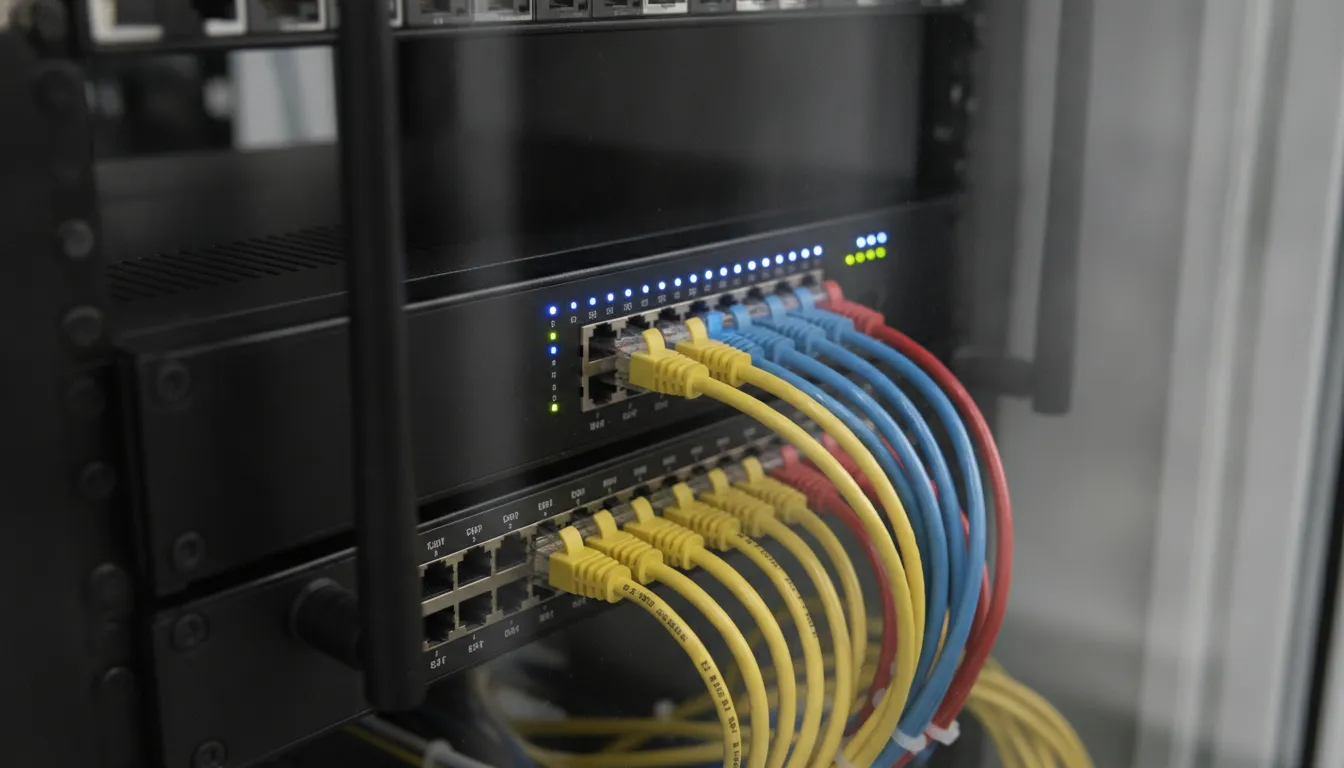
Because your phone service runs over the web, your network setup matters a lot. The VoIP cost for small business depends on more than just the monthly plan fee. You must also think about your office network. If your web link is weak, your calls will sound bad or drop out. A good network check is the first step to a clear start with a cloud system.
Check your broadband speed
A broadband internet connection is needed to make clear calls. Each call uses a small amount of data, but this data must move fast. If your team has many users on the phone at once, you will need more speed. Most newer fiber or cable lines can handle the load with ease. But you should test your speed before you sign up for a new plan.
You should also look at your upload speed, not just the download speed. Most home plans focus on downloads, but voice calls need steady upload power too. If you have many people in the office, you might need to get a better plan. This change can add a small amount to your monthly bill. It is better to have enough speed than to deal with laggy calls every day.
Prioritize your voice data
Your office router handles all the data that comes in and out of your building. This data includes emails, web browsing, and video clips. Without a plan, your router sees all this data the same. This can lead to choppy sound if someone starts a big download during a call. To fix this, you can set up Quality of Service (QoS) on your router.
QoS tells your router to put voice data first. This ensures that your calls stay clear even when the network is busy. Most business-grade routers have this feature, but you must turn it on and set it up. At Computek, we offer VoIP business solutions that include full network checks. We help you set up your router so your phones always work well.
Account for network hardware
Sometimes, moving to a cloud phone system means you need new gear. Old routers or switches might not handle the new traffic well. If your gear is more than five years old, you should think about an upgrade. High-quality gear prevents common drops and static. While this has a one-time cost, it saves you from losing time on bad calls later.
You should also check your office wiring. Most VoIP phones use a standard network cable to get power and data. If your desks do not have these ports, you might need to add them. This is a common part of the setup process for local firms. Planning for these small changes helps you find the true VoIP cost for small business.
Setup, Installation, and Number Porting Fees
Moving to a cloud system is a big step for your team. While the monthly VoIP cost for small business is often low, you should plan for first setup fees. These one-time costs cover the work needed to get your tools ready for daily use. Most owners find that a small upfront cost leads to much lower monthly bills over time.
Setup and account fees
Most firms charge a fee to set up your account. This work includes building your call flows and setting up features. For example, your team may need VoIP business solutions like ring groups. A ring group helps your team answer calls together. A custom menu greets your callers and sends them to the right desk. Setup fees can vary based on how many users you have and how complex your call rules are.
Per the Federal Communications Commission, VoIP uses your fast internet to send voice signals. To make this work, you may need new desk phones. You can also use small adapters for your old ones. Buying these tools is part of your start-up cost.
Moving your numbers
One key part of the move is keeping your current phone numbers. This task is called number porting. It lets you move your business brand to the new service with no gaps. Most firms charge a small admin fee for each number you move. This fee covers the work of switching the lines between carriers. While porting is a standard step, it can take a few days or weeks to finish the move with your old provider.
Why expert help matters
Setting up a new phone system can be hard to do alone. Working with a local partner for business phone systems in Georgetown makes a big change. They check your network to make sure it is ready for more traffic. This check stops dropped calls or poor sound quality later. Expert setup ensures your new system works well from day one. It also gives you a local contact if you need help or want to add more lines later.
The path to a new system follows a set order. Here are the steps to a smooth move:
- The team tests your current internet speed and gear. This check ensures your office can handle the new voice traffic without any lag.
- You choose which phone numbers you want to keep. You fill out forms to let your new provider move these numbers from your old carrier.
- Pros set up your call paths and user accounts. They build your greeting menus and group your team by their job roles.
- New phones or software apps are set up for every user. Pros make sure each device connects to the web and rings the right way.
- The team tests every part of the system. They make test calls to ensure that 911 services and all desk phones work as they should.
Your final setup bill will depend on the size of your team. It also depends on how many numbers you move and if you buy new phones. Getting it right from the start saves you time and money. It also keeps your business running while you make the change.
Frequently Asked Questions
How much does VoIP cost for a small business per month?
Most small firms pay between $15 and $30 per user each month for basic VoIP tools. High-end plans with advanced tools can cost $30 to $50 for each line. According to Nextiva, these prices often go down when you add more users or pay for a full year upfront. This pricing model helps you plan your budget while giving your team the tools they need to stay linked to clients and grow.
What are the hidden costs of switching to VoIP?
While monthly fees are clear, you may face a few other costs when you switch. These include one-time fees to move your old phone numbers to a new firm. You might also need to pay for faster internet or new gear like routers to keep calls clear. As noted by Nextiva, taxes and fees can add fifteen to twenty-five percent to your total bill each month. Planning for these extra costs ensures you stay within your budget.
Is VoIP cheaper than landline for small businesses?
Yes, most small firms see big savings when they move away from old phone lines. Most teams save between forty and sixty percent on their monthly phone bill. This happens because VoIP uses your internet link instead of costly copper wires. According to Nextiva, you also save money because you do not need to pay for costly hardware in your office. These savings help local firms put more money back into their core work and growth.
Can I keep my current business phone number when switching to VoIP?
Yes, you can usually keep your current phone number when you move to a new system. This process is called number porting. It is a standard step that most service firms handle for you. While the move is often free, some firms may charge a small fee to process the change. As The Network Installers explains, keeping your same number ensures your clients can always reach you. This prevents any loss of work during your move to new tech.
Schedule your VoIP discovery call with Computek
Every day you wait on an old phone setup is a day you lose cash. Old lines can fail or drop calls when you need them most. You might miss calls from new clients or pay high fees for tools you do not use. Switching to a modern system takes time, but starting today means you can stop the waste sooner. A better plan helps your team work from any place and keeps your costs low as you grow. Do not let a bad phone system hold your Central Texas company back from its work. Most businesses see their first savings in just a few weeks after they make the switch. If you wait, you will just keep paying more for a system that does less for your team. Our local experts can help you find a VoIP business solution that fits your budget and your goals.
Ready to upgrade? Call 512-869-1155 to schedule a discovery call.