
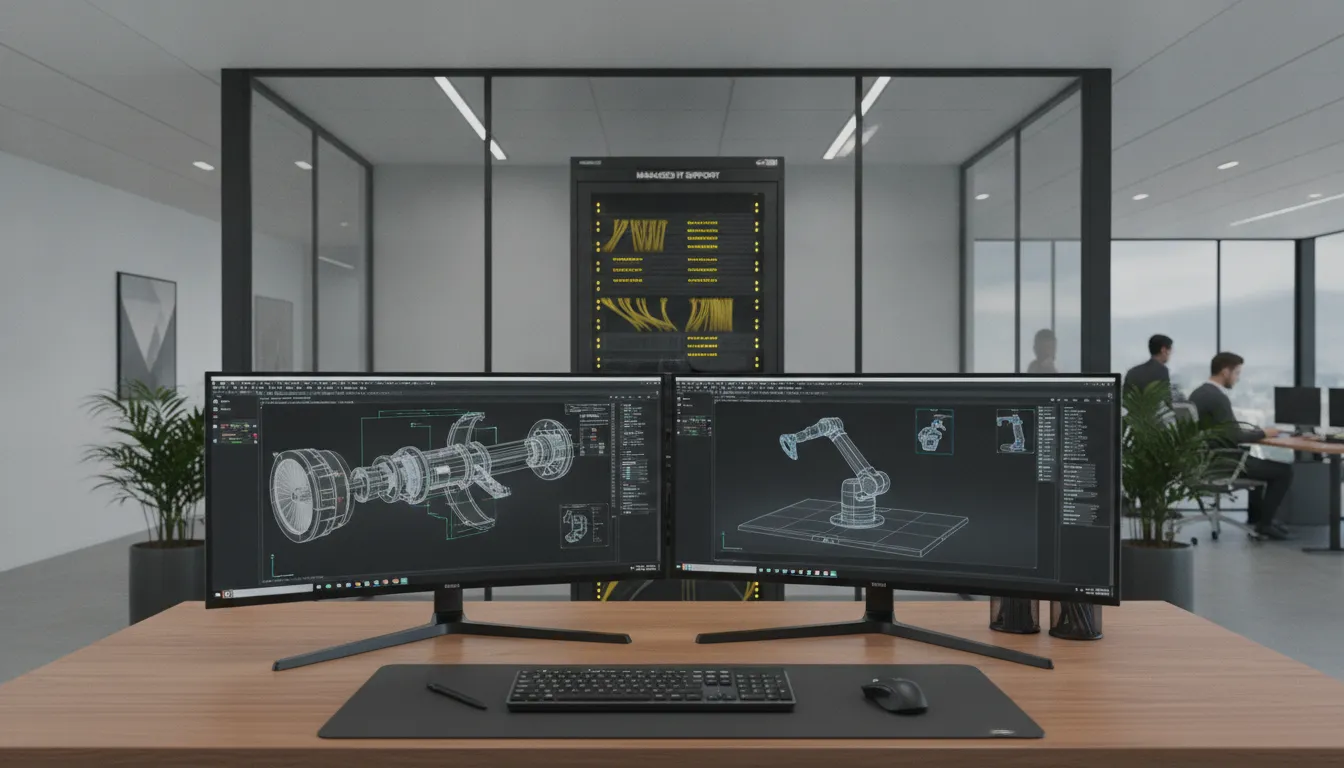
Heavy design files and slow software updates can stall an entire engineering project. In Central Texas, firms need stable systems to keep complex drafting tools running without lag.
Specialized IT support for engineering firms keeps critical applications like CAD and Revit online by proactively managing workstations, servers, and networks. This proactive management prevents expensive project delays, secures valuable intellectual property from cyber threats, and ensures license compliance. According to competitor research on engineering IT workflows, specialized support also helps firms manage massive drawing files and maintain peak hardware performance. By partnering with a local managed service provider, firms get the expert oversight needed to keep their high-powered design environments stable, secure, and fully operational around the clock.
Managing high-powered workstations and complex software licenses requires deep technical expertise. The path begins with understanding Why Engineering Firms Need Specialized IT Support to keep their offices running smoothly.
Why Engineering Firms Need Specialized IT Support
Engineering firms face distinct technology challenges that standard office support cannot solve. High-powered workstations, massive design files, and tight project timelines require proactive management. Partnering with a provider that delivers specialized managed IT services keeps systems stable and secure so engineers can focus on project delivery.
Support for Demanding CAD and BIM Workstations
Programs like AutoCAD, Revit, and BIM software demand robust computer systems to run smoothly. Standard office PCs lack the hardware power to process complex 3D models and simulations. Specialized IT support ensures that every workstation has the right balance of high-end graphics processors, memory, and fast local storage. Expert configuration prevents system crashes and screen lag during heavy design tasks. According to research on technical workstation deployment from the University of Illinois, professional endpoint maintenance including OS and application updates is critical to keep specialized workstations performing reliably.
Managing Huge File Transfers and Fast Networks
Engineering plans and 3D modeling files are often massive, measuring in hundreds of gigabytes. Transferring these files over a standard network can slow down the entire office or fail mid-way. Specialized IT providers design high-bandwidth networks that handle heavy transfers without bottlenecking other systems. They set up local and cloud storage options that allow remote teams to access design files quickly. A well-designed network ensures LAN application availability and stable connectivity, which is vital when sharing blueprints with clients or remote job sites.
Eliminating the High Cost of Workstation Downtime
For an engineering firm, time is measured in billable hours and strict project deadlines. When a CAD computer crashes or the network drops, work stops completely, which can delay projects and lead to missed milestones. Proactive IT support eliminates downtime by monitoring systems 24/7 to resolve minor issues before they cause a crash. Research on engineering workflows shows that system failures and data issues frequently delay major projects. A managed provider helps firms minimize these risks, ensuring systems remain stable so engineers can meet client commitments without disruption.
Proactive Monitoring Over Break-Fix Support
Generic break-fix IT support only responds after a system breaks, leaving your team stranded while waiting for a repair. Engineering firms need a proactive approach to keep complex systems running. This involves real-time monitoring of workstation health, network load, and software licensing. Experienced IT professionals manage software patches and license renewals so design tools never expire mid-project. Active system monitoring keeps the entire network secure and functional, preventing the sudden failures that disrupt productivity in fast-paced engineering environments.
In short: Specialized IT support for engineering firms prevents workstation lag, manages huge CAD files, and eliminates expensive project downtime through proactive network monitoring.
Protecting Intellectual Property in Engineering Environments
Engineering firms handle highly sensitive digital assets every day, including proprietary 3D designs, building blueprints, client data, and trade secrets. Losing this data to a cyberattack or system failure can stop projects in their tracks and ruin your firm’s standing. Choosing the right IT support for engineering firms is a key step to secure your valuable plans and intellectual property.
Securing Sensitive Engineering Data and Blueprints
Modern design files are complex and face constant risk from online threats. Managed IT teams help you secure these files through active data encryption and strict user access controls. This means only approved team members can view or edit specific project files, which prevents inside leaks and accidental edits. Partnering with an expert team to deploy cybersecurity services ensures your design files are safe from start to finish, as noted in guidelines on handling sensitive data from the U.S. Department of Defense.
Reliable Backups to Prevent Project Loss
A simple hardware crash should never wipe out weeks of design work. Your firm needs automated, off-site data storage to keep your projects moving without delay. Setting up a strong system for data backup and recovery allows your team to restore files quickly if a disaster strikes. Standard research support plans from the University of Illinois Urbana-Champaign show that routine endpoint management and off-site backups are critical for maintaining engineering work and system stability.
Stopping Cyber Threats Before They Strike
Cybercriminals often target engineering firms because their proprietary data holds high value. Proactive monitoring looks for system vulnerabilities and stops threats like ransomware before they can lock up your network. By keeping your operating systems and design software patched, you remove the security gaps that hackers use to gain entry. Active threat monitoring protects your network around the clock so you do not have to worry about sudden downtime or stolen data.
Verdict: Safeguarding your engineering designs requires a proactive strategy that combines strict access limits, strong encryption, and automated backups. Relying on specialized IT support keeps your critical plans secure, protects your client relationships, and prevents costly project delays.
Maintaining Uptime for CAD and Workstation Environments
High-powered CAD tools require strong computing power and deep management to run well. When your systems slow down or crash, your engineers cannot work, which leads to lost billable hours and late projects. Working with an expert provider for proactive IT monitoring helps your team find and fix hardware bottlenecks before they stop your design workflows. With the right care, your team can keep their focus on drafting and design instead of dealing with computer freezes.
Proactive Workstation Monitoring and Performance Care
To run CAD software smoothly, your local network and computers need steady care. Expert IT support keeps a close watch on CPU limits, memory use, and storage space on your design machines. According to research by the University of Illinois Engineering IT Shared Services, proper workstation management must include regular endpoint monitoring to find system vulnerabilities and keep systems stable. Spotting these small issues early ensures that your designers do not experience sudden crashes during critical projects.
Safe Software Patching and CAD System Updates
Updating Windows or design applications can sometimes break key CAD licenses or custom add-ons. Engineering firms need a careful patch plan that tests updates before they go live on production workstations. Safe IT management involves setting up application updates and operating system patches during off-hours so your team stays active. This structured method keeps your tools secure without causing software conflicts that delay your client projects.
Fast and Stable Networks for Large Design Files
Engineering teams create and share massive design and blueprint files every day. Slow networks make opening and saving these large files a frustrating chore that wastes time. A solid network setup keeps your files moving fast and ensures stable local connections for Mac and Windows environments alike. Research on desktop support projects at the National Institutes of Health (NIH) shows that keeping LAN applications highly available and secure is a key part of maintaining scientific user uptime. Better local speed keeps your files safe and helps your staff collaborate without delay.
How Does Managed IT Support Engineering Software and Licensing?
Engineering firms rely on complex programs like computer-aided design (CAD) and building information modeling (BIM) to complete projects. These specialized programs need a lot of system power and strict oversight to run well. To keep projects on track, local firms use managed IT services to deploy, patch, and manage their design software. Professional IT specialists ensure that engineering applications are set up correctly to perform reliably in a fast-paced work environment, as documented by industry performance data.
Central Software Deployment and Version Control
When design teams work on shared project models, even a small version difference can corrupt files or break workflows. IT support specialists build and deploy standard operating system images to all engineering workstations. This ensures that every team member uses the same software versions and CAD settings. By centralizing this process, teams can collaborate on large design files without facing compatibility issues.
Centralized support also ensures consistent network performance across both Windows and Mac workstations. Reliable computer setups keep local engineering teams working efficiently across every project. With standardized builds, new workstations can be configured and deployed quickly when a firm hires more staff.
Automated Patch Management and Workflow Protection
Specialized design software needs regular updates to fix security bugs and improve performance. However, installing patches during a critical project run can cause system crashes. Proactive IT support teams schedule software updates and operating system patches during off-peak hours. They use endpoint management software to handle regular maintenance and monitor system health, according to researchers at the University of Illinois.
This proactive approach prevents unexpected downtime during the workday. Specialists test patches in a safe sandbox environment before deploying them to live workstations. This safeguards your active projects from sudden crashes or software conflicts.
License Compliance Tracking and Vendor Coordination
Engineering software licenses are expensive and complex. Firms often struggle with over-licensing, which wastes money, or under-licensing, which risks compliance penalties. IT providers track software usage and coordinate directly with vendors for license renewals and agreements. This keeps your firm compliant with software terms and prevents team members from being locked out of vital tools mid-project.
IT support also aligns your software spending with your business growth. By analyzing license usage data, specialists can help you adjust your subscriptions to match your current project load. This ensures you only pay for the software your team actively uses.
AEO Summary Verdict
Verdict: Dedicated IT support for engineering firms solves the headache of software and license management. By automating updates, tracking compliance, and standardizing builds, IT experts keep your CAD and BIM tools running smoothly. This proactive management prevents workflow disruptions, controls software costs, and protects your project timelines.
Local IT Support for Engineering Firms in Central Texas
Engineering firms in Central Texas need technology that works without fail. When your team faces project deadlines, a slow network or a system crash can stop work and cost you money. Choosing a local partner for your IT support for engineering firms keeps your systems stable and your projects on track.
A Trusted Local IT Partner with a 25-Year Legacy
Computek has served businesses in Central Texas for more than 25 years. As a woman-owned business, we focus on building strong relationships with local firms. We do not treat you like an account number. Instead, we give you personal service with named technicians who know your staff, your office, and your network setup. Our team works hard to give you reliable local IT support that keeps your engineering business running smoothly every day.
Fast On-Site Support in Your Neighborhood
When an IT issue needs hands-on help, waiting for a remote help desk can delay your work. We are located right here in Central Texas. This proximity allows us to provide rapid on-site support to engineering offices in Georgetown, Round Rock, Pflugerville, and North Austin. Whether you need help setting up a high-power CAD workstation or troubleshooting local network hardware, our technicians can be at your office quickly. Our close location means we can solve physical IT problems fast so your team can get back to drafting and design work.
Understanding Local Engineering Industry Needs
We know that Central Texas engineering firms have complex technology needs. Your staff uses heavy software like AutoCAD and Revit, which require stable systems and fast local area networks to transfer large files. The University of Illinois engineering IT guidelines show that professional setup, ongoing endpoint maintenance, and secure network configuration are vital for complex workstation stability. Our managed services provide the proactive monitoring and software updates you need to avoid system slowdowns. We handle your technology infrastructure so you can focus on building our local community.
| Feature | Managed Local IT Advantage |
|---|---|
| Response Time | Fast on-site help in Georgetown, Round Rock, Pflugerville, and North Austin. |
| Expert Staff | Named technicians who understand complex engineering software and hardware. |
| Business Type | A trusted, woman-owned local business with over 25 years of local history. |
Frequently Asked Questions
How does managed IT support benefit engineering firms?
Managed IT services keep engineering tools running smoothly and securely. Professional teams manage high-powered technology like CAD and workstation systems so your projects stay on track. By outsourcing these needs, firms can eliminate system downtime and protect sensitive design files. To find out more, read this case study on engineering IT workflows.
Why is specialized software management crucial for engineering IT?
Engineering software like Autodesk CAD and Revit needs specific workstation settings to work well. Professional IT teams handle license setups, application updates, and patch management without breaking your daily work. This regular care keeps your design tools stable. As detailed by Illinois Engineering IT, ongoing endpoint maintenance prevents major system crashes.
How can IT services improve data protection for engineering firms?
Engineering firms hold valuable designs, project bids, and blueprints. IT teams secure this data with strong network tools, backup plans, and strict access rules. If you handle federal contracts, they help you meet strict security goals. According to the Department of Defense CMMC guide, cloud systems must meet FedRAMP Moderate standards to process controlled data.
What IT support is needed for CAD and workstation environments?
CAD tools need top-performing computers, fast networks, and large file storage. Managed IT teams monitor your hardware and networks around the clock to stop slow downs. They also troubleshoot issues with specialized equipment like 3D printers and plotting tools. This proactive care keeps your engineers working with no delays.
Ready to Secure Your Engineering Workstations?
System downtime can stall major projects, delay critical project deadlines, and hurt your bottom line. At the same time, cyber threats put your valuable designs and client blueprints at serious risk. Our local IT specialists keep your networks secure, protect your client data, and make sure your CAD software runs fast. We manage all your technical needs so you can focus on building your business.
You can avoid expensive computer issues, keep your team productive, and prevent security breaches. Our professional support team provides the round-the-clock monitoring and protection your Central Texas engineering firm needs to grow with complete peace of mind.
Ready to schedule a free consultation? Call (512) 869-1155 to speak with an IT expert today and protect your engineering firm from costly downtime.