

Construction companies depend on technology at the office, in the field, and across every project handoff. A failed server, ransomware incident, storm, stolen laptop, or extended power outage can interrupt drawings, schedules, change orders, payroll, and communication at the same time. Construction technology disaster recovery is the discipline of deciding what must come back first, how it will be restored, and who owns each step.
Schedule a 15-minute call with Computek to review your construction technology recovery priorities.
Why construction technology needs its own recovery checklist
Construction technology disaster recovery is not just an office backup plan. It must account for project teams working from trailers, remote sites, mobile devices, cloud applications, shared files, subcontractor communication, and deadlines that do not pause when a system fails. The goal is to restore safe, revenue-producing work in a deliberate order, not to bring every device online at once.
A construction firm can have several technology environments operating at the same time:
- Office networks, servers, workstations, and printers.
- Cloud applications used for project management, estimating, accounting, and document storage.
- Job-site laptops, tablets, mobile phones, hotspots, and temporary network equipment.
- Digital drawings, specifications, contracts, photos, daily logs, safety records, and change-order documentation.
- Email, voice, messaging, and other communication channels used by project managers, owners, vendors, and subcontractors.
The recovery plan should also separate a technology outage from a physical site emergency. A flooded trailer may require a safety and facilities response before anyone retrieves equipment. A ransomware incident may require isolation and investigation before clean systems are connected. Treating every disruption as a simple restore can spread an incident or put people in danger.
Key takeaway: A construction technology disaster recovery checklist connects digital recovery to job-site safety, project deadlines, field connectivity, and business priorities. It should explain what to protect, what to restore first, and who can authorize each step.
What should a construction technology disaster recovery plan protect?
A useful construction technology disaster recovery plan starts with business functions instead of a generic device list. Identify the information and systems that keep projects moving, then document how each one is accessed, backed up, restored, and supported. The plan should cover both the technology in the office and the technology that travels to active construction sites.
Start with a practical inventory. For each system or data set, record the business owner, users, location, dependencies, backup method, recovery priority, and acceptable amount of lost work. Do not assume that a file is protected simply because it is stored in a cloud application. Confirm what the provider retains, how quickly it can be restored, and whether deleted or encrypted data can be recovered from an earlier point in time.
| Technology area | What to document | Recovery question |
|---|---|---|
| Project files | Drawings, specifications, contracts, photos, and change orders | Which active projects need access first? |
| Project and accounting applications | Application owner, login process, integrations, and export options | Can the team operate if the application is unavailable? |
| Office infrastructure | Servers, network equipment, internet, firewalls, and power | What has to be rebuilt or replaced before users can work? |
| Field technology | Rugged devices, hotspots, mobile phones, and site connectivity | How will crews communicate if the primary connection fails? |
| Security controls | Administrative accounts, endpoint protection, and backup isolation | How will clean recovery be separated from compromised systems? |
Keep an offline or separately protected copy of the plan. If the same identity system or file share controls access to the recovery document, the plan may be unavailable when it is needed most. Limit editing rights, review the plan after major technology changes, and make sure a second leader can find it without relying on one employee’s personal device.
Computek’s data backup and recovery services can be part of a broader continuity conversation, but the plan still needs business decisions from the construction company. A technology provider can help identify dependencies and test restoration. Leadership must decide which projects, customers, safety records, and financial functions take priority.
Key takeaway: Protect the systems that support project execution, not only the central server. A complete inventory covers office infrastructure, cloud applications, field devices, communication, security controls, and the data required to keep active work moving.
How should a construction company rank systems during an outage?
When several systems are unavailable, recovery should follow business impact rather than convenience. Rank systems by safety, revenue, contractual deadlines, customer commitments, and dependencies. A written order prevents teams from restoring a low-impact workstation while a project manager is still unable to access drawings, communicate with a client, or approve a change order.
Use a simple three-tier model and adapt it to each company’s operations:
- Tier one, immediate operations: systems needed for safety communication, incident coordination, identity, core project files, critical customer communication, and the most time-sensitive work.
- Tier two, project continuity: estimating, scheduling, accounting, collaboration, field reporting, document workflows, and other systems needed to resume normal project administration.
- Tier three, deferred operations: archival material, nonessential devices, convenience applications, and projects with lower immediate impact.
For every tier, define a recovery owner and an acceptable fallback. If the project platform is down, can the team use a controlled temporary file exchange? If office internet is unavailable, can project leaders work from an approved alternate connection? If a key employee is unreachable, who has the authority and credentials to coordinate recovery? These decisions should be made before an incident, not while people are trying to solve several problems at once.
Construction leaders should also rank projects, not only applications. A project nearing a critical inspection, a job with a contractual submission due, or a site with urgent safety communication may need priority over an otherwise similar project. Document the factors used to make that decision, and review them with operations and project management so the technology team is not guessing during a high-pressure event.
Finally, define recovery time and recovery point expectations in plain language. Recovery time is how long a function can be unavailable. Recovery point is how much recent work the company can afford to lose. These are business decisions. A plan that promises every system will return instantly is less useful than a plan that states what will return first and what temporary workarounds are acceptable.
Key takeaway: Rank recovery by safety, project impact, revenue, and dependencies. Use tiers, named owners, project priorities, and realistic recovery expectations so a construction team can make consistent decisions under pressure.
What belongs on a construction technology disaster recovery checklist?
A practical checklist turns a broad continuity goal into actions that can be assigned, tested, and repeated. It should be short enough to use during an incident but detailed enough to guide preparation. The following eight steps give construction, engineering, and manufacturing leaders a starting structure for technology-focused recovery.
- Name the incident team. List the operations leader, technology owner, project representative, communications contact, facilities contact, and outside providers. Include alternates and the authority to declare an outage.
- Protect people and isolate the problem. Follow site safety procedures first. For suspected ransomware or account compromise, disconnect affected systems as directed by the incident response lead. Do not reconnect devices simply to see whether they work.
- Confirm the scope. Record which locations, users, devices, applications, and data sets are affected. Separate confirmed facts from assumptions and keep a running incident timeline.
- Activate communication fallbacks. Identify approved alternate channels and a contact tree for employees, customers, owners, vendors, and subcontractors. Avoid sharing sensitive project information through unapproved personal accounts.
- Restore clean access first. Reestablish the identity, network, connectivity, and security controls needed to reach protected data. Restore from a known clean point, not from a system that may still be compromised.
- Recover by business priority. Bring back tier-one project files and communication before lower-impact systems. Confirm that restored data is complete and usable with the people who depend on it.
- Document decisions and workarounds. Track temporary procedures, manual approvals, recreated files, and unresolved risks. This record helps project leaders explain delays and prevents the same confusion during the next incident.
- Review and improve. After operations stabilize, hold a short lessons-learned review. Update contacts, priorities, backup settings, device inventories, and procedures while the experience is still fresh.
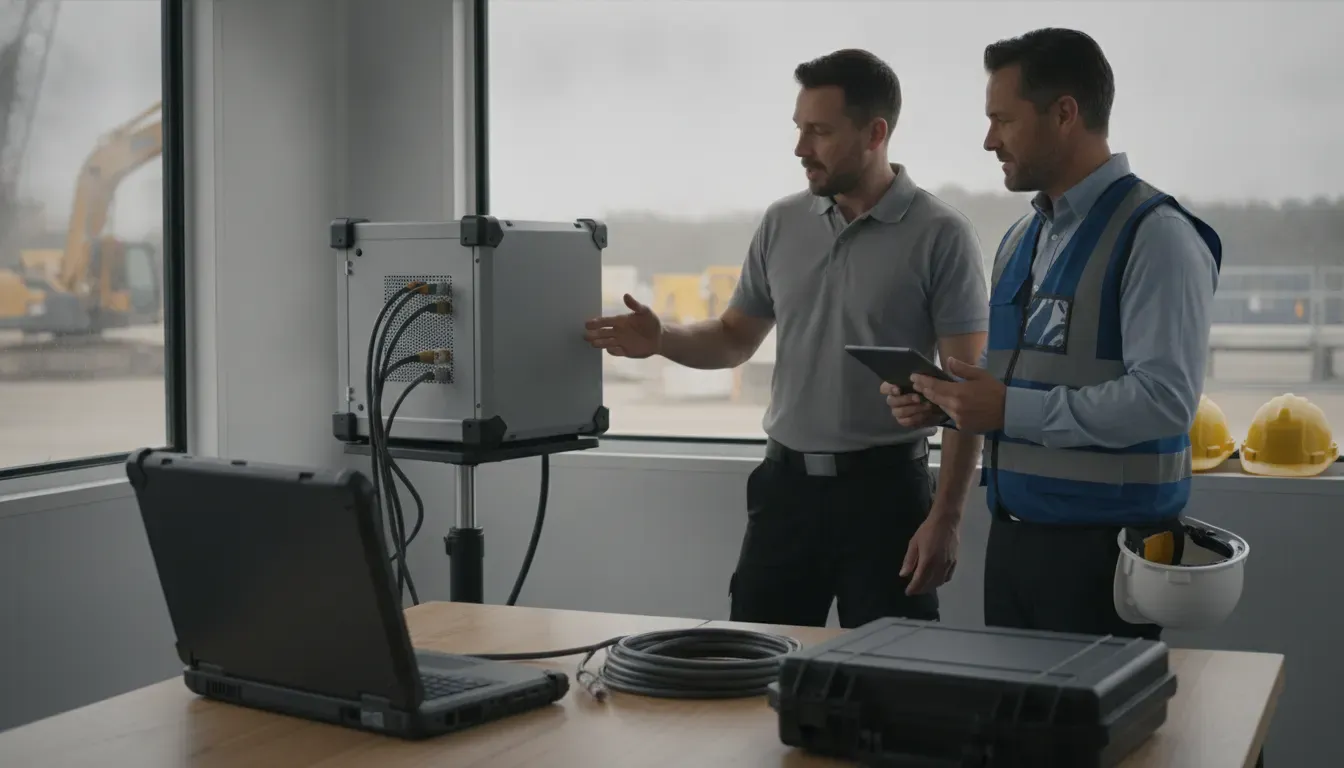
Backups are an important part of this checklist, but they are not the entire plan. A backup that has never been restored is an assumption. A restoration that returns files but not access permissions, application dependencies, or usable project history may not get the team back to work. Test the complete path from incident decision to working user.
Computek’s managed IT services approach can support ongoing monitoring, maintenance, network troubleshooting, and recovery coordination as part of a comprehensive service package. The right scope depends on the firm’s systems, project obligations, and internal resources.
Key takeaway: The checklist should assign people, protect the site, establish communication, confirm scope, restore clean access, prioritize projects, document workarounds, and improve the plan after every exercise or real incident.
How often should construction technology recovery be tested?
Testing should happen often enough to expose changes in staff, applications, devices, vendors, and project workflows. A written plan can look complete while its credentials are stale, a backup job is failing, or a key person no longer knows the recovery sequence. Use a mix of discussion exercises, technical restoration tests, and site-specific communication drills.
At minimum, a construction company should consider these tests:
- Tabletop exercise: Walk leaders through a realistic event, such as a ransomware alert at the office or a storm-related outage at an active site.
- File restoration test: Restore representative drawings, contracts, photos, and financial records to a separate location. Have the actual users verify that the files open and retain useful history.
- Application dependency test: Confirm that identity, internet, licensing, integrations, and permissions are available in the expected order.
- Communication drill: Test the contact tree and approved alternate channels without distributing confidential project details.
- Field continuity exercise: Verify how a superintendent or project manager communicates and accesses essential information when the normal job-site connection is unavailable.
Record the date, scenario, participants, systems tested, recovery time, data restored, failures, and assigned improvements. A failed test is useful evidence. It shows where the plan is making an assumption and gives leadership a chance to fix the issue before a real outage creates schedule pressure.
Review the plan after a major application change, office move, new project-management platform, acquisition, staffing change, cybersecurity event, or change to backup architecture. A quarterly review is a reasonable starting point for many established SMBs, but the right cadence depends on how quickly the technology environment changes.
Computek’s cybersecurity services can help businesses reduce the chance that a security incident becomes a wider operational disruption. Recovery testing should still include the business owners who know which project files, approvals, and communications are most important.
Key takeaway: Test recovery with the people who use the systems, not only with the person who manages backups. Tabletop exercises, restoration tests, communication drills, and field scenarios reveal gaps that a written plan cannot.
When should a construction firm use managed IT support for recovery?
Managed IT support is most useful when recovery depends on several connected systems and the company does not have enough internal capacity to monitor, document, test, and coordinate them consistently. For a Central Texas construction, engineering, or manufacturing business, the conversation should focus on operational coverage and accountability, not on buying a standalone backup product.
Consider a managed-service conversation when:
- No one owns the complete inventory of systems, devices, users, and backups.
- Backups run, but restoration has not been tested with real project data.
- Project teams use a mix of office, cloud, and job-site technology with unclear dependencies.
- Security alerts, patching, access control, and recovery are handled separately with no shared process.
- A disruption would force an owner or operations leader to coordinate every technical decision personally.
- The company needs predictable support across Georgetown, Round Rock, Pflugerville, North Austin, or nearby Central Texas locations.
Computek provides managed IT, cybersecurity, cloud services, data backup and recovery, and IT consulting through customized service packages. That model is relevant when a construction business wants one accountable technology partner to help align daily support with continuity planning. It does not eliminate the company’s operational decisions, and it does not make every incident risk-free.
A first conversation should identify the firm’s critical workflows, current backup and recovery evidence, field connectivity, security responsibilities, and the next practical test. Computek’s cloud services may also be relevant where cloud dependencies, hybrid infrastructure, or application access are part of the recovery design.
Key takeaway: Managed IT support is a fit when recovery requires consistent ownership across systems, security, cloud access, field operations, and testing. The objective is a workable continuity process, not a disconnected technology purchase.
Construction technology disaster recovery FAQ
Construction technology disaster recovery answers the practical question of how a firm will keep projects moving when technology is unavailable or compromised. The best plan identifies critical functions, protects people and systems, restores clean access in priority order, and tests the process with the leaders and field teams who will use it.
What is construction technology disaster recovery?
It is the planning and testing process a construction company uses to restore technology, data, communication, and project workflows after an outage, cyber incident, equipment loss, power event, storm, or other disruption.
What should a construction company back up first?
Start with data and systems that affect safety, active project execution, customer commitments, revenue, and contractual deadlines. That commonly includes drawings, specifications, contracts, change orders, project photos, schedules, accounting records, and the access systems required to use them.
How is a recovery plan different from a backup plan?
A backup plan describes how copies of data are created and retained. A recovery plan explains how people, systems, applications, permissions, communication, and project priorities will be restored and validated after an incident.
How often should recovery procedures be tested?
Review and test them on a regular schedule and after major technology or staffing changes. Many established SMBs use quarterly reviews as a starting point, with additional tests for critical applications, backup restoration, and job-site communication.
Can a managed IT provider help with construction recovery planning?
Yes. A managed IT provider can help document dependencies, monitor systems, protect backups, coordinate restoration, and run tests. Company leadership still needs to define project priorities, acceptable downtime, communication decisions, and the business owners for each critical function.
Key takeaway: The strongest construction technology disaster recovery plan is specific enough to guide an actual outage, tested enough to expose weak assumptions, and connected to the project decisions that determine what must come back first.
Build recovery into your managed IT plan
Disaster recovery becomes more useful when it is maintained as part of normal technology management rather than stored as a document that is opened only after an outage. Construction leaders can start by inventorying critical workflows, assigning recovery owners, verifying backups, and scheduling a short test with project and operations staff.
For firms in Georgetown, Round Rock, Pflugerville, North Austin, and nearby Central Texas communities, Computek can help evaluate how managed IT, cybersecurity, cloud access, and data recovery fit together. The first step is a focused conversation about the technology your people need to keep projects moving.
Key takeaway: Recovery readiness is an operating discipline. Build it into managed IT decisions, test it with real users, and update it as projects, applications, and field operations change.