
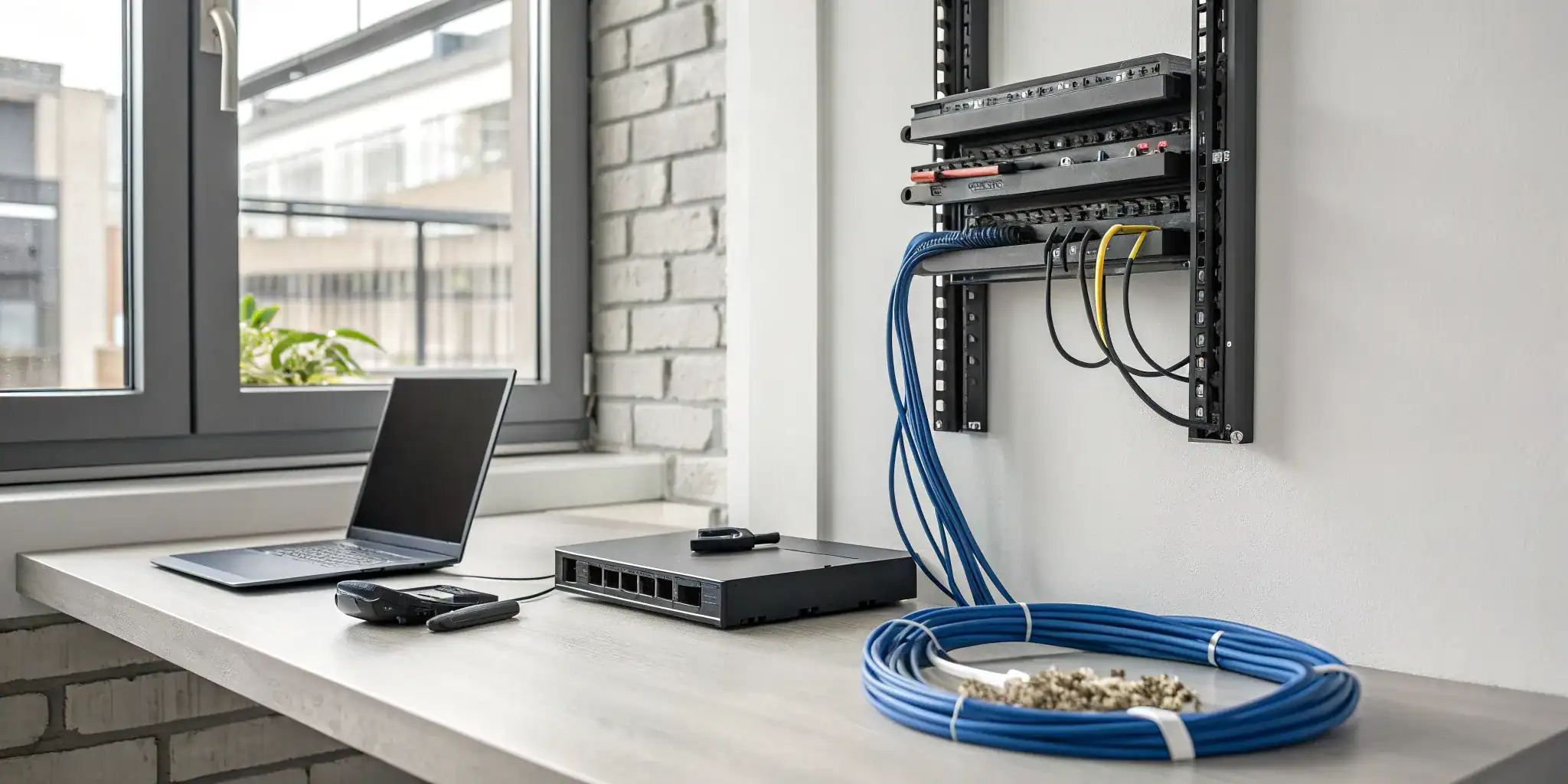
Let’s talk about your company’s technology. Is it a powerful tool that helps you grow, or a constant source of problems that holds you back? For many companies, a poorly planned network is the root cause of inefficiency and security risks. A managed IT network installation for small business is a strategic investment in your company’s future. It provides a scalable, secure, and reliable foundation that can adapt as your business expands. By partnering with an expert provider, you gain access to a full team of IT professionals who ensure your infrastructure supports your long-term goals, giving you a competitive edge.
Key Takeaways
- Move from reactive fixes to proactive prevention: A managed network installation stops problems before they start. Instead of waiting for something to break, this approach focuses on constant monitoring and maintenance to prevent costly downtime and security issues.
- Get more than just an installation: A managed network service is a complete partnership. It covers everything from the initial design and setup to ongoing cybersecurity, data backup, and dedicated tech support, creating a solid foundation for your business.
- Select the right partner for your business: Your choice of provider matters. Look for a partner who offers clear pricing, creates a plan tailored to your specific needs, and prioritizes security, ensuring your technology supports your long-term growth.
What Is Managed IT Network Installation?
Think of managed IT network installation as hiring a team of dedicated experts to design, set up, and maintain your entire business technology infrastructure. Instead of you or your team trying to piece together a network, a managed service provider handles everything from the ground up. This approach allows you to offload the technical heavy lifting and focus on running your business. A managed installation covers the full spectrum of your IT needs, including network monitoring, security protocols, and data management, to create an efficient and secure environment.
Managed IT vs. Traditional IT: What’s the Difference?
The biggest difference between managed and traditional IT comes down to one word: proactivity. The traditional model is often called “break-fix” because you only call for help when something breaks. This reactive approach can lead to unexpected downtime and frantic calls for support. In contrast, managed IT services are proactive. A provider constantly monitors your network to identify and fix potential issues before they disrupt your business. This means you get expert-level support that prevents problems, saving you from the stress and expense of sudden IT emergencies.
The Core Parts of a Network Installation
A strong, reliable network is the backbone of any modern business. When network problems pop up, work can grind to a halt. A professional network installation focuses on building a solid foundation that supports your daily operations and can grow with your company. This involves more than just connecting computers to the internet. A managed service provider handles the essential components, like setting up routers and switches, configuring secure Wi-Fi access, and ensuring all your devices can communicate effectively. The goal is to create a scalable system that adapts to your business’s changing needs, which often starts with strategic IT consulting.
What’s Included in a Managed Network Installation?
When you partner with a managed service provider (MSP) for your network installation, you’re getting much more than just hardware and cables. You’re investing in a complete, end-to-end service designed to keep your business running smoothly and securely. A managed installation covers the initial setup and the ongoing health of your network, so you can focus on your core business operations. Think of it as building a strong foundation for your company’s technology, with a dedicated team of experts to maintain it.
From setting up a scalable infrastructure to providing round-the-clock support, here’s a closer look at the key components included in a managed network installation.
Setting Up Your Network Infrastructure
First things first, your provider will design and build the physical and digital backbone of your business. This involves setting up all the necessary hardware, like routers, switches, and wireless access points, and configuring them to work together seamlessly. A key part of this process is planning for the future. Your MSP will ensure your network is scalable, so it can easily adapt as your business grows. By using cloud-compatible solutions, your network gains the flexibility to handle more users, devices, and data without a major overhaul. This forward-thinking approach saves you from costly upgrades down the road and ensures your infrastructure can always meet your needs.
Implementing Cybersecurity and Monitoring
In today’s world, a network without strong security is a major liability. A managed installation includes implementing advanced cybersecurity measures from the very beginning. Your MSP will set up and manage firewalls, install intrusion detection systems, and ensure all your software is patched and up-to-date to protect you from known vulnerabilities. But it doesn’t stop there. They also provide continuous monitoring to watch for suspicious activity and neutralize threats before they can cause damage. This proactive approach means you have an expert team guarding your digital assets around the clock, giving you peace of mind that your sensitive business data is safe.
Establishing Data Backup and Recovery Systems
What would happen if your critical business data suddenly disappeared due to a hardware failure, cyberattack, or natural disaster? A managed network installation addresses this risk by setting up robust data backup and recovery systems. Your provider will automate regular backups of your important files and information, storing them securely both on-site and in the cloud. They’ll also create a clear disaster recovery plan, outlining the exact steps to restore your operations quickly if the worst happens. This ensures that even in a crisis, your business can get back on its feet with minimal data loss and downtime, protecting both your revenue and your reputation.
Providing Ongoing Maintenance and Tech Support
A managed network installation isn’t a one-and-done project. It’s the start of an ongoing partnership. After the initial setup, your provider continues to offer maintenance and tech support to keep everything running at peak performance. This includes handling software updates, managing user accounts, and troubleshooting any issues that pop up. When an employee can’t connect to the network or a critical application goes down, you have a reliable team to call. This prompt support from managed IT services minimizes frustrating downtime, keeps your team productive, and ensures technical problems are solved quickly and efficiently.
How Much Does Managed Network Installation Cost?
Let’s talk about the big question: what’s the price tag? The cost of a managed network installation isn’t a simple, one-size-fits-all number. It really depends on the size of your business, the complexity of your current setup, and your specific goals. Think of it like building a custom workspace; the final price depends on the materials you choose, the features you need, and the size of the space. Your investment will cover both the initial setup and the ongoing management that keeps your business running securely and efficiently.
The total cost breaks down into two main parts: the initial setup fee and the ongoing monthly fee for management and support. The setup covers all the upfront work, like installing hardware, running cables, and configuring your security. The monthly fee ensures everything keeps running smoothly with proactive monitoring, maintenance, and tech support whenever you need it. Understanding how these costs are structured will help you create a realistic budget and see the long-term value of your investment. Below, we’ll walk through the factors that influence the price and give you some typical ranges to expect.
What Factors Influence the Price?
Several key components make up the initial cost of your network installation. The first is the network hardware itself, which includes essentials like routers, switches, and Wi-Fi access points. This can range from $2,000 to $5,000, depending on the quality and quantity of equipment your office needs. Next is cabling, which can cost between $2,500 and $6,000. The price here varies based on your building’s layout and how much new wiring is required.
Finally, you have professional labor for the setup and configuration, which typically adds $1,500 to $3,000. You’ll also want to budget for network cybersecurity tools, which can run from $1,000 to $2,500 to protect your new network from day one.
Understanding Setup Costs vs. Monthly Fees
It’s important to separate the one-time setup cost from your recurring monthly service fee. For most small businesses, the initial network setup can range from $5,000 to $15,000. This covers the hardware, cabling, and labor we just discussed.
After the installation is complete, you’ll move to a monthly plan for managed IT services. This fee typically ranges from $150 to $250 per employee. This ongoing fee covers proactive monitoring, system maintenance, security updates, and access to a support team. If your business requires more advanced security or strategic consulting, you might see that figure closer to $250 to $300 per employee each month. This predictable cost makes budgeting for IT much simpler.
A Look at Typical Investment Ranges
So, what does this all add up to? For a small business with 10 to 50 employees, the total investment can vary quite a bit. A straightforward network for about 10 devices might start as low as $3,000 for the initial setup. However, a more complex network with advanced security features, multiple office locations, or specialized software can easily exceed $20,000.
The key is to find a solution that fits your current needs while leaving room for future growth. A good provider will work with you to understand your business and design a network that aligns with your budget. This is where IT consulting becomes invaluable, helping you make smart decisions that support your long-term goals.
Why Is Managed Network Installation a Smart Move?
Handing over your network installation to a managed service provider (MSP) isn’t just about offloading a task. It’s a strategic decision that can reshape how your business operates, protects itself, and grows. By partnering with an expert team, you gain a solid technological foundation that supports your goals, letting you focus on what you do best: running your business. Here’s a closer look at the practical benefits you can expect.
Strengthen Your Security and Compliance
Let’s be direct: small businesses are often seen as easy targets by cybercriminals because they typically have weaker security. A managed network installation flips that script. Your MSP implements robust cybersecurity measures from day one, including firewall management, intrusion detection, and proactive monitoring. This isn’t a one-and-done setup. It’s a continuous process of patching, updating, and watching for threats to safeguard your sensitive business data. This proactive approach not only protects your information but also helps you meet industry compliance standards, giving you and your clients valuable peace of mind.
Scale Your Business with More Flexibility
Your business isn’t static, and your IT network shouldn’t be either. One of the biggest advantages of a managed installation is that it’s built for growth. A managed service provider designs a network that is inherently scalable, ready to adapt as you add new employees, open new locations, or adopt new technologies. Instead of overhauling your system every time you expand, you have a flexible foundation that can grow with you. This forward-thinking approach, often part of a larger IT consulting strategy, ensures your technology supports your ambitions instead of holding you back, allowing you to scale efficiently and without major disruptions.
Gain Access to Expert Tech Support
When a technical issue pops up, the last thing you want is to scramble for a solution. With managed IT, you have a dedicated team of experts on call, ready to provide prompt support when you need it most. This is like having a full-fledged IT department without the overhead of hiring one in-house. Your provider gets to know your specific setup, which means they can troubleshoot problems faster and more effectively. Whether it’s a minor glitch or a major system issue, having professional managed IT services means you get clear answers and quick resolutions, keeping your team productive and focused on their work.
Minimize Costly Downtime and Disruptions
Every minute your network is down, your business is losing money. Managed network installation is designed to prevent this by prioritizing uptime. Through constant monitoring and proactive maintenance, your provider can identify and resolve potential issues before they cause a full-blown outage. And if something does go wrong, they have a plan in place. Reliable IT support and solid data backup and recovery systems ensure that technical problems are addressed immediately. This drastically reduces downtime, keeps your operations running smoothly, and protects your revenue and reputation. It’s about shifting from a reactive ‘break-fix’ model to a proactive strategy that keeps your business online and efficient.
What to Expect During the Installation Process
Switching to a managed IT network can feel like a huge undertaking, but a professional provider will make the process smooth and predictable. Instead of a chaotic overhaul, you should expect a structured project with clear communication at every turn. The goal is to get your new network up and running with minimal disruption to your daily operations, so you can start benefiting from better performance and security right away. A good partner understands that your business can’t afford significant downtime, so they will work with you to schedule the installation at a time that makes sense for your team, often after hours or on weekends if needed.
A successful installation isn’t just about plugging in new hardware. It’s a collaborative effort that involves understanding your business, creating a detailed plan, and ensuring your team is comfortable with the new setup. Let’s walk through the three main stages of the installation process so you know exactly what to expect when you partner with an IT provider. This structured approach ensures that your new network is built correctly from the ground up and tailored to support your specific business goals. From the initial assessment to final testing and team training, every step is designed to deliver a seamless transition and a reliable, secure network that empowers your business to grow.
Step 1: Assessing and Planning Your Network
The first step is always a thorough assessment of your current IT environment. Your provider will take a close look at your existing hardware, software, and network infrastructure to understand what’s working and where the pain points are. A strong network is the backbone of your business, and any underlying problems can slow down your entire team. This initial review helps identify potential issues before the installation begins.
Think of this phase as creating a blueprint for your new network. Based on the assessment and your business goals, your provider will develop a strategic plan. This plan outlines the right solutions for your needs, from hardware upgrades to software configurations. This careful approach is a core part of effective IT consulting and ensures you make smart, informed decisions for your company’s future.
Step 2: Mapping Out the Timeline and Milestones
Once the plan is in place, the next step is to map out a clear timeline with specific milestones. Your IT provider should give you a detailed schedule so you know what will happen and when. This transparency is key to a smooth transition, as it helps you prepare your team and manage expectations. A well-defined timeline minimizes surprises and keeps the project on track from start to finish.
This roadmap is designed to reduce risk and create a predictable process. By breaking the installation into manageable phases, your provider can build a technology foundation designed to scale with your business. This is one of the major advantages of professional managed IT services; you get a strategic installation that not only solves today’s problems but also prepares you for future growth.
Step 3: Testing, Optimizing, and Training Your Team
The installation isn’t over once the equipment is set up. The final step involves rigorous testing to ensure everything is running perfectly. Your provider will check for any bugs, optimize system performance, and confirm that all security measures are correctly implemented. This includes verifying that your new network meets any industry compliance standards your business needs to follow.
After testing, the focus shifts to your team. Your IT partner will provide training to help your employees get comfortable with any new systems or workflows. Having expert help available during this transition is crucial for a successful rollout. This ongoing support ensures your team can use the new technology effectively and that your investment in better cybersecurity and infrastructure pays off from day one.
How to Handle Common Transition Challenges
Making the switch to a managed IT provider is a big step, and it’s completely normal to have questions and concerns. The good news is that a smooth transition is entirely possible with a little preparation and the right partner. Moving your data, getting your team comfortable with new processes, and understanding the costs are all common hurdles. But these challenges are not roadblocks; they are simply steps in the process.
Think of your managed IT provider as your guide. They’ve done this hundreds of times and can help you anticipate issues before they arise. By addressing potential challenges head-on, you can ensure your network installation is a success from day one. Let’s walk through some of the most common concerns and how to handle them.
Clearing Up Misconceptions About Managed IT
One of the biggest hurdles can be separating fact from fiction. Many business owners believe they’re too small to be a target for cyberattacks, but the reality is that hackers often go after smaller companies precisely because they assume their defenses are weaker. A professional cybersecurity plan is essential for any business, regardless of size. Another common myth is that managed IT is only for physical servers. In fact, these services are crucial for making sure your cloud infrastructure runs securely and integrates smoothly with all your other business tools. From your cloud storage to your office printers, a great IT partner keeps everything running efficiently to prevent costly downtime.
Managing Data Migration and Team Concerns
Moving your company’s data can feel like a monumental task, especially when you’re worried about security and organization. This is where having an expert team makes all the difference. Instead of patching together solutions on your own, your managed IT provider will handle the entire migration process, ensuring your data is transferred securely and without disruption. They are also experts in data backup and recovery, giving you peace of mind. Just as important is getting your team on board. Be open about the changes, explain how the new systems will make their work easier, and lean on your IT provider to offer training and support. A smooth transition is as much about people as it is about technology.
Working Through Budget and Integration Hurdles
It’s easy to look at the cost of managed IT as just another expense, but it’s more accurate to see it as an investment in your company’s stability and growth. Instead of facing unpredictable and often large bills when something breaks, you get predictable, manageable monthly costs. This proactive approach allows you to budget effectively and avoid expensive surprises. With the right managed IT partner, you also gain a technology foundation designed to scale with your business. They will ensure that any new systems integrate seamlessly with your existing software and hardware, creating a more efficient and secure operation from the ground up.
How to Choose the Right Managed IT Provider
Choosing a managed IT provider is like hiring a key team member. You’re looking for a long-term partner who understands your business and can support its growth. The right provider will feel like an extension of your company, offering proactive solutions instead of just fixing problems as they pop up. To find that perfect fit, you need to know what to look for, what questions to ask, and which warning signs to avoid. Taking the time to vet your options carefully will save you from headaches and unexpected costs down the road.
What to Look For in a Provider
A great managed IT provider offers more than just tech support; they offer peace of mind. Look for a company with a clear and predictable pricing structure, so you’re never surprised by hidden fees. The best partners will also insist on assessing your current IT setup before giving you a quote. This shows they’re focused on creating a tailored plan for your specific needs, not just selling you a one-size-fits-all package. Most importantly, prioritize providers who offer robust cybersecurity services. Your partner should be actively monitoring for threats, ready to contain any issues, and even help train your employees on best practices to keep your business secure.
Key Questions to Ask Before You Commit
Before you sign a contract, it’s time to get specific. A good provider will welcome your questions and give you straightforward answers. Start with the basics of support: Can every employee contact the help desk directly, or is access limited? Are there any caps on the number of support tickets you can submit each month? Then, think about the future. Ask if they offer strategic planning or virtual CIO (vCIO) services to help you build a technology roadmap. A forward-thinking partner won’t just manage your current needs; they’ll provide the IT consulting that helps you plan for where your business will be in three to five years.
Red Flags to Watch Out For
As you compare providers, keep an eye out for a few red flags. Be cautious of unrealistically low prices. While a good deal is always welcome, a price that’s significantly lower than the competition often means you’re sacrificing critical security features or getting limited support. Another warning sign is a lack of transparency. If a provider isn’t clear about what’s included in their managed IT services or tries to upsell you on essentials like data backup, it’s best to walk away. You want a partner who is upfront and includes everything you need in a single, comprehensive package.
Get Your Business Ready for Installation
Once you’ve chosen your managed IT provider, it’s time to prepare for the installation. A little bit of planning on your end can make a huge difference, ensuring the transition to your new network is smooth and efficient. Taking the time to organize your needs and expectations upfront helps your IT partner build the best possible system for your business and minimizes disruptions to your daily operations. Think of it as creating a clear blueprint for your provider to follow. This preparation sets the stage for a successful partnership and a network that truly supports your business goals from day one.
Your Pre-Installation Checklist
Before your provider starts laying cables or configuring servers, it’s helpful to get a few things in order. This simple checklist will help you and your IT partner get on the same page. First, take stock of your current and future IT needs. Consider how many employees you have, the specific software you use every day (like email, file storage, or customer management systems), and where you see your business in the next few years. A clear understanding of your requirements makes it easier to get the right support.
Next, plan for both the initial setup costs and the ongoing monthly expenses. A transparent budget helps you avoid surprises down the line. A reliable provider will offer a thorough assessment of your current setup before giving you a tailored pricing package. This is a key part of finding the right managed IT services for your company, as it ensures the solution fits your specific operational needs and financial plans.
How to Set Realistic Expectations and Timelines
A successful network installation depends on clear communication and realistic goals. Work with your provider to establish a timeline with fixed intervals for reviewing key performance metrics. This includes things like service response times and how quickly incidents are resolved, which are typically outlined in a service level agreement (SLA). This process helps you measure the effectiveness of your new IT services over time.
Remember that the size and complexity of your network will directly influence the cost and timeline. A larger, more intricate setup will naturally require more time and resources. It’s also important to consider potential challenges like regulatory compliance. Many small businesses find it difficult to keep up with industry regulations, but a good managed service provider can help identify and address compliance gaps. This is especially critical for your cybersecurity posture, ensuring your business stays protected and on the right side of the rules.
Related Articles
- What Is a Managed IT Provider & Why You Need One
- Your Guide to Remote IT Management Services
- network – Computek
Frequently Asked Questions
How long does a network installation take, and will it interrupt my business? The timeline really depends on the size and complexity of your business, but a good provider will always prioritize keeping your operations running. Most of the work, like planning and hardware configuration, happens behind the scenes. The actual on-site installation is carefully scheduled, often after business hours or on a weekend, to ensure there is little to no disruption to your team’s workday.
My business is small. Is a managed network installation really necessary? Yes, absolutely. Think of it this way: cybercriminals often target small businesses because they assume security is weak. A professional installation establishes a strong security foundation from the start, protecting your sensitive company and client data. It also creates a reliable network that prevents the kind of frustrating tech glitches that hurt productivity, which can have a big impact on a small team.
What happens if my company grows after the installation is complete? That’s exactly what a managed network is designed for. A key part of the initial planning process is building a scalable system. This means your network is created with future growth in mind, so adding new employees, devices, or even a new office location is a straightforward process. You won’t need to start from scratch; the foundation is already there to support your expansion.
Can you work with the IT equipment I already own? In many cases, yes. During the initial assessment, your provider will evaluate all of your current hardware, like routers, switches, and servers. They will determine what can be integrated into the new network and what needs to be upgraded to meet modern performance and security standards. The goal is to create the most effective system possible while making smart use of your existing investments.
How is this different from just calling an IT person when something breaks? The biggest difference is that managed services are proactive, not reactive. The traditional “break-fix” model means you wait for a problem, experience downtime, and then pay for an emergency fix. A managed installation includes continuous monitoring and maintenance to prevent issues before they happen. This approach saves you from the stress and unexpected costs of downtime, keeping your business running smoothly.